1
Chapter 5. Prototype B: Specification & Implementation of the PEPA2Java API
49
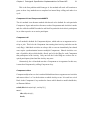
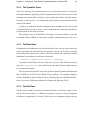
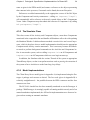
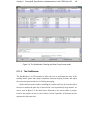
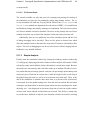
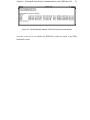
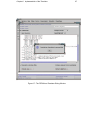
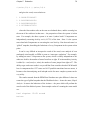
Consulting figure 5.4, there are three main parts to the SimWindow, the state tables,
the debug message panel and the control panel. There are three state tables, each
displaying information on the three main different types of PEPA objects of the model.
5.11.2.1 The System State Tables
The top table displays information on the Components running in the system, giving
the state they are currently in, the name of the script they are running, the current Activity (if any) they are participating in, and the number of scripts they have run. Possible
states are things such as “Waiting for others”, “Joined” and “Choosing”. To draw attention to the active elements, Components that have joined an action are highlighted.
The second table displays information on the Activities in the system, giving their
state, their currently assigned Rate, their type (shared or individual) and the number of
times they have run. Activities which are in the state “Joined” (those that have been
selected as Runners) are highlighted.
The bottom table displays information on the Actions in the system, again giving
their state, but also their determining Rate, the state of their synchronization tree, and
the number of times they have been run. The full synchronization tree is given, and
those nodes which are ready or locked are marked with an asterisk. The two most
common states for an Action are “Waiting on Synch” and “Started”. Those Actions
which have been started are highlighted.
5.11.2.2 The Message Window
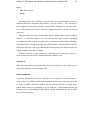
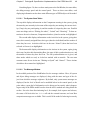
In the middle portion of the SimWindow lies the message window. Here, all system
and object debug messages are displayed, along with the name and type of the object from which the message originates. By default, only system status messages are
displayed, but the level of detail can be modified below in the control panel, to the
point where a great deal of information can be discovered on exactly what is happening not only in the PEPA model but also what the API’s methods are doing below the
surface. Set to the least discriminating level, for example, lock requests and releases,
the status of all Activities in a choice call and the eventual outcome, and even Rate
comparison messages are available. This is useful if the model is behaving incorrectly