1
FIN-X Solutions – Financial Solution Version 7 User Manual
Page 8 of 54
SECTION 2 – SOLUTION INTRODUCTION
2.1
Introduction
The financial solution consists of three key areas:
Master Data, where information regarding your business, clients, suppliers
and types of expenses is entered. This master data is then used on an
ongoing basis when income and expenses are captured.
Data Input, where income is captured (invoices and customer payments),
expenses are captured (also petty cash), hire purchase transaction data is
captured and fixed asset information is captured.
Reports, allowing for automated reports for a variety of purposes.
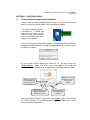
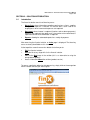
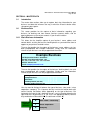
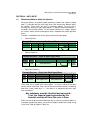
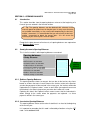
After accessing the financial solution, an Index page is displayed. The three key
areas are clearly identifiable on this screen.
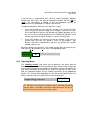
At the top of the screen there are four buttons that allow you to:
Exit the financial solution.
Save the file at any stage whilst in the financial solution.
Move to the Next page in the solution (this is an alternative to using the
orange button options).
Access information About the solution (product version).
To access a particular option for data processing, simply click on the orange box
which indicates the item you want to go to.