1
Main System Software Version 2.3*
4 Newly added operations by the mini-pendant
Refer to the “SETTING-UP MANUAL, Chapter 6”.
You can operate the following items by the mini-pendant from Ver.2.3 or later.
(1) Performing CALSET
(2) Resetting the motor encoder data
(3) Setting the calendar clock built in the robot controller (Date setting)
(4) Setting the next battery replacement date
4.1 Performing CALSET
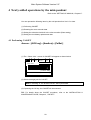
Access: [AUX key]—[ArmAux]—[CalSet.]
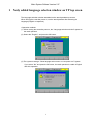
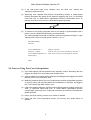
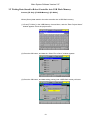
(1) The “ Select Joint “ screen for CALSET will appear as shown below.
M
VM XY
WOT 0
100
Select Joint
0
[Cancel / OK]
[Cancel / OK]
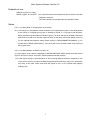
(2) Select the target joint for CALSET.
Note: If selecting “0”, the all-axis CALSET will be performed.
(3) If pressing the OK key, the CALSET will be executed.
TIP: For details about the CALSET procedure, refer to the INSTALLATION &
MAINTENANCE GUIDE, Chapter 4, "CALSET."
20