1
Section II User Manual --- ROBOT PATROL SYSTEM
96
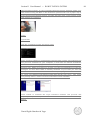
Create a directory called “ProgramFiles” on your hard disk. The already existing
directory “Program Files” does contain a space character between “Program” and
“Files” that sometimes causes problems in the usage of Java technology. You will
later also install Eclipse into the “ProgramFiles” directory.
Unzip the Lejos ZIP file. This will reveal a directory called “lejos_nxj” . Place it in your
“ProgramFiles” directory.
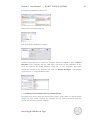
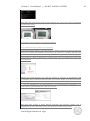
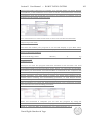
We now need to inform Java of the existence of the Lejos library. Right-click on “My
Computer”
and
select
“Properties”.
Click
on
the
“Advanced”
tab.
Click
on
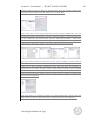
“Environment Variables” at the bottom. Create a new “System variable” by
clicking on “New” at the bottom. Do NOT create a “User variable” at the top.
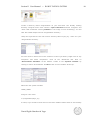
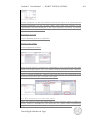
Name the new system variable:
LEJOS_HOME
and give it the value:
C:\ProgramFiles\lejos_nxj
In short, Lejos needs to know where it has been installed. Notice that we now already
Daniel Egido Sánchez de Vega