1
Getting ready for the SDK
5
As we’ll discuss in the next chapter, you can also access all of these docs from
inside Xcode. We usually find Xcode a better interface because it allows you to click
through from your source code to your local documents. Nonetheless, the website is a
great source of information when you don’t have Xcode handy.
Because they tend to be updated relatively frequently, we’ve been constantly aware
of Apple’s documents while writing this book, and we’ve done our best to ensure that
what we include complements Apple’s information. We’ll continue to provide you
with introductions to topics and to point you toward the references when there’s a
need for in-depth information.
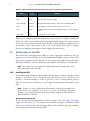
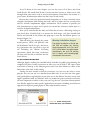
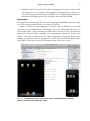
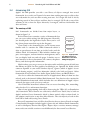
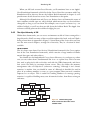
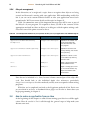
After you’ve downloaded the SDK, you’ll find that it leaves a disk image sitting on
your hard drive. Double-click it to mount the disk image, and then double-click
Xcode and iOS SDK in the folder that pops up to start the installation process (as
shown in figure 1.2).
This will bring you through the entire
Warning: installation dangers
install process, which will probably take
The default installation of Xcode and
20–40 minutes. You’ll also get a few licensiOS SDK will replace any existing
Apple development tools you have.
ing agreements that you need to sign off
You’ll still be able to do regular Apple
on, including the iPhone Licensing
development, but you’ll be working
Agreement, which lists some restrictions
with a slightly more bleeding-edge
on what you’ll be able to build for the iOSdevelopment environment.
based devices.
IOS SDK LICENSING RESTRICTIONS
Although Apple is making the iOS SDK widely available for public programming, the
company has placed some restrictions on what you can do with it. We expect these
restrictions to change as the SDK program evolves, but what follows are some of the
limitations at the time of this writing.
Among the most notable technical restrictions: you can’t use the code to create
plug-ins, nor can you use it to download non-SDK code. It was the latter that apparently spoiled Sun’s original plans to port Java over to the iPhone. You also can use only
Apple’s published APIs. In addition, there are numerous privacy-related restrictions,
the most important of which is that you can’t log the user’s location without permission. Finally, Apple has some specific application restrictions, including restrictions on
apps that incorporate pornography or other objectionable content.
Figure 1.2 Double-clicking Xcode
and iOS SDK starts your installation.