1
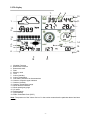
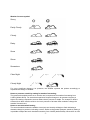
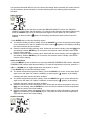
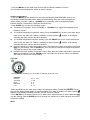
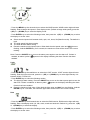
enabled, an alarm symbol appears in the display indicating the alarm function has been enabled. Note: When a set weather alarm condition has been triggered that particular alarm will sound for 120 seconds. The corresponding value, ‘HI AL” or “LO AL” and the alarm symbol are flashing until the weather condition doesn’t meet the user set level. Press any key to mute the alarm. Pressure history bar graph - Press the MENU key the third time to select the PRESS HISTORY section, PRESSURE HISTORY section digit will start flashing. Press the ▲(UP) or ▼(DOWN) key to toggle the bar graph time scale between 12hrs and 24 hrs for pressure history. Pressure - Press the MENU key the fourth time to select the PRESSURE section, PRESSURE section digits will start flashing. Enter the pressure display mode (relative and absolute pressure. Default absolute pressure), press the ▲(UP) or ▼(DOWN) key to select the display. - Press ENTER key to select the following modes, then press the UP/+ or ▼(DOWN) key to select the display or set the value: Select pressure unit between hPa, mmHg, inHg. (Default hPa). The relative pressure setting. (If you select absolute pressure display, skip this step) The pressure high alarm setting. Press the ON/OFF key to turn on the alarm press again to turn the alarm off. If alarm is enabled, an alarm symbol appears in the display indicating the alarm function has been enabled The pressure low alarm setting. Press the ON/OFF key to on/off the alarm. If alarm is enabled, an alarm symbol appears in the display indicating the alarm function has been enabled Reset the maximum pressure value. When both the pressure value and MAX icon are flashing, hold the ENTER key for 3 seconds, the maximum pressure value will be reset to current reading. Reset the minimum pressure value. When both the pressure value and MIN icon are flashing, hold the ENTER key for 3 seconds, the minimum pressure value will be reset to current reading. Weather forecast tendency - Press the MENU key the fifth time to select the TENDENCY section, TENDENCY section digits will start flashing. Enter the weather forecast tendency display mode (SUNNY, PARTLY CLOUDY, CLOUDY NIGHT, CLEAR NIGHT, CLOUDY, RAINY and SNOW icon), press the ▲(UP) or ▼ (DOWN) key to select the display. - Press ENTER key to select the following modes, then press the ▲(UP) or ▼(DOWN) key to select the display or set the value: Set the pressure threshold from 2-4hPa(default 2hPa) Set the storm threshold from 3-9hPa(default 4hPa) -8-