1
Chapter 2 : Tutorial
1.
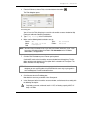
Close the Assemblies resource window by clicking the Windows close button on the
Assemblies window title bar .
2.
Use Find to locate the Floor Construction folder in the Sample Project.
3.
Click the Open Unit Prices resource window button on the toolbar
.
The Line Items from the Means AE Assemblies resource window opens in a separate
window within CostLink/AE.
4.
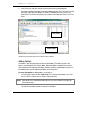
Click the Tile Windows Vertically button on the toolbar
.
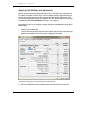
The Line Items resource window displays side-by-side with your project.
5.
In the Line Items resource window, use Find to locate the following line item:
Column, structural tubing, heavy section, 7" to 10" W, incl shop primer, cap & base plate,
bolts
HINT: Search for Columns. The first folder located will not be the correct folder. Click Find
Next to locate the next folder. Continue to click on Find Next until you find the correct
folder.
6.
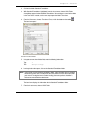
Drag the line item to Floor Construction in your project and enter a quantity of 8600.
7.
Find the Roof Construction folder in your project.
8.
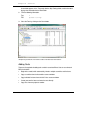
In the Line Items window, find and copy the following line items (
Construction folder and input the following quantities:
) into the Roof
Structural steel project, industrial buildings, steel bearing, 100-ton project, 1 story, A992
steel, shop fabricated, incl shop primer, bolted connections
41.6 TON
HINT: Search for Steel Projects. The folder has 56 tasks in it. Instead of looking
through the folder task by task, you can use Find to search within the folder. To
search within the folder, in the Sheet panel, click on the first task in the folder (this is
just so CostLink/AE’s focus is in the Sheet panel, not the Tree). Then open Find
again, deselect Folders, and select Tasks. Search for Industrial. Use Find Next
(not Find First). Keep clicking Find Next until you locate the correct item.
Open web bar joist, 40-ton job lots, spans up to 30', K series, shop fabricated, incl shop
primer, horizontal bridging, average
4.3 TON
HINT: Search for Web Joists. Make sure you deselect Tasks and re-select Folders.
Metal decking, steel, open type, wide rib, galvanized, under 50 Sq, 1-1/2" D, 20 ga
3,420 SF
HINT: Once you locate the Steel Decking folder, notice that it contains 3 subfolders. Look in
the Steel Roof Decking folder for this task.
BSD CostLink/AE User Manual
29