1
Operating manual - English
4
TRIAX - E.CODE
REGULATION AND USE OF THE MACHINE
4.1
KEYPAD AND FUNCTION KEYS
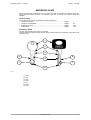
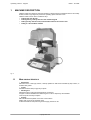
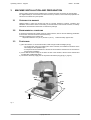
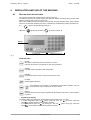
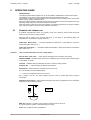
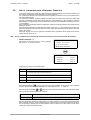
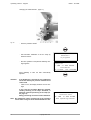
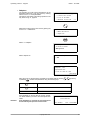
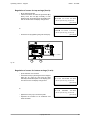
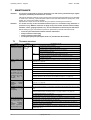
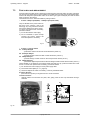
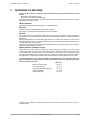
The machine’s keypad has 19 alphanumeric and 6 function keys.
The alphanumeric keys are used for entering the data card number and cutting data (numbers and/or
letters) according to the code on the card in use.
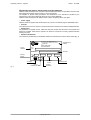
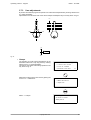
Each of the 19 alphanumeric keys contains two characters: the main character (white), which is directly
active, and an alternate character (red), which is activated by simultaneously pressing the SHIFT key.
E.g.:
[1/H] key pressed directly produces: 1
Held down
SHIFT
[SHIFT] and pressed
[1/H] key produces: H
display
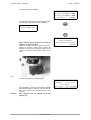
function keys
alphanumeric keys
Fig. 9
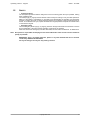
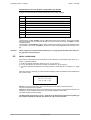
FUNCTION KEYS
[STOP]
Stop button, particularly when the machine is in motion.
Interrupts the function in progress at any time during operation.
[START]
Activates machine operations (with shield down).
[ENTER]
Confirms advancement of the various functions in the menu.
[CLEAR]
deletes digited characters.
+
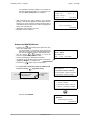
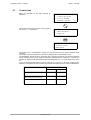
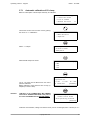
The combination of the [SHIFT] + [CLEAR/COPY] keys allows automatic entry into
the ‘Decode and copy’ function from any of the menus.
[SHIFT]
Press the SHIFT key and hold down together with the double function keys in order to digit the
red letters.
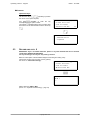
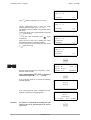
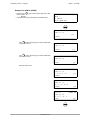
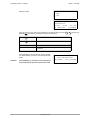
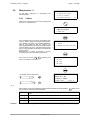
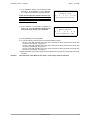
• Regulating the display
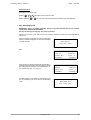
The viewing angle of the display can be adjusted to improve reading from any angle.
• to incline downwards press the
[down arrow] key, then the
[up arrow], hold both
keys
until the required viewing angle is reached.
• to incline upwards press the
[up arrow] key, then the
[down arrow] key; hold both
keys
down until the required viewing angle is reached.
Copyright Silca 2002
13