1
Scannex ip.buffer User Manual
© UK 2007-2015 Scannex Electronics Ltd. All rights reserved worldwide.
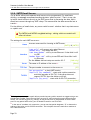
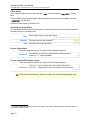
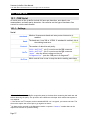
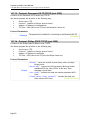
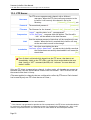
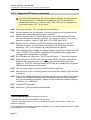
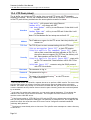
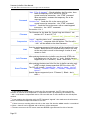
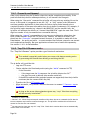
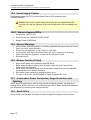
10.7.17. Pass-through
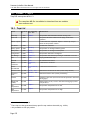
The pass-through connection is limited to read-only when collecting from UDP or FTP..
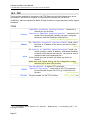
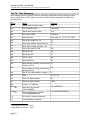
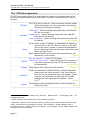
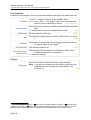
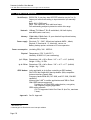
TCP Port
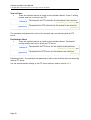
The TCP/IP port that will listen for an incoming connection, or
active connect, for pass-through.
0 = disable pass-through on this channel.
[0]
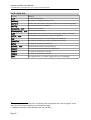
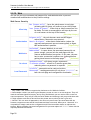
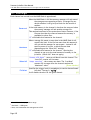
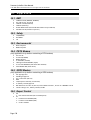
Connect
“Device to ip.buffer (passive/server) [Default]” –
The ip.buffer behaves as a TCP server.
“ip.buffer to Device (active/client)” – The ip.buffer
behaves as a TCP client and connects to the remote end.
[Device to ip.buffer (passive/server)]
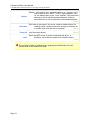
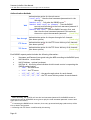
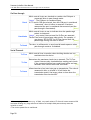
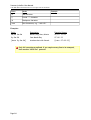
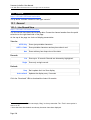
Interface
43
“LAN only” – dial-in PPP connections are blocked
“Modem only” – Ethernet connections are blocked
“LAN or Modem” – either PPP or Ethernet can be used
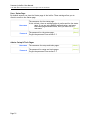
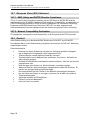
Address
Enter a name or IP address to connect to (when using
“ip.buffer to Device (active/client)” connect
mode)
[blank]
Allow
“blank” will allow any client to connect to the ip.buffer for
passthrough on this channel.
Enter a name, IP address or wildcarded IP address to restrict
inbound access to only that LAN address43. You can also
enter a list of addresses.
[blank]
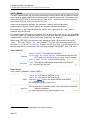
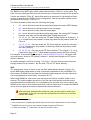
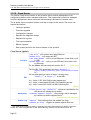
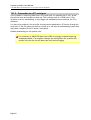
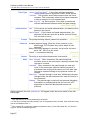
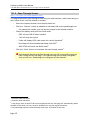
TLS/SSL
“No encryption” – a plain TCP/IP session
“Implicit (by port)” – starts with an SSL/TLS connection. A
client that connects with plain TCP/IP will time out and
be disconnected.
[No encryption]
When dialling in with a modem the “Allow” address is ignored.
Page 86
[LAN only]