1
Clip & Clip+ User Manual
Prologue
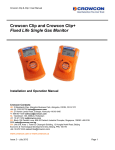
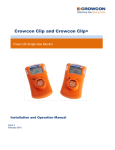
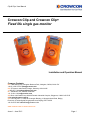
Thank you for purchasing the new Crowcon Clip or Crowcon Clip+. At Crowcon we recognise the need
for reliable and robust personal monitors which are sized to be worn without intruding on primary tasks
and are simple to use.
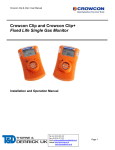
The Clip and Clip+ are personal single gas monitors, designed to detect the presence of specific toxic
gases; Carbon monoxide (CO) or Hydrogen sulphide (H2S) or Oxygen (O2) deficiency.
Focused on users and fleet managers alike, Crowcon offers application focused fixed system and
portable solutions to protect personal and plant from flammable, toxic and oxygen hazards. For further
information on this or any other Crowcon product please contact your local regional office, regional
sales manager or service centre.
Contents
1.
Activation ........................................................................................................................................ 4
1.1. Display Details ......................................................................................................................... 4
1.2. Day to Day Usage ................................................................................................................... 4
2. Additional Steps: ............................................................................................................................. 5
3. Alarms ............................................................................................................................................ 6
3.1. Alarm Types ............................................................................................................................ 6
3.2. Alarm Set Points ...................................................................................................................... 6
4. Event Log ....................................................................................................................................... 7
5. Bump Test Interval.......................................................................................................................... 7
6. Oxygen Calibration ......................................................................................................................... 7
7. Hibernation Instructions – Clip+ only............................................................................................... 8
8. Certifications/Specifications ............................................................................................................ 9
9. Warranty (Clip & Clip+) ................................................................................................................... 9
9.1. Limited Warranty ..................................................................................................................... 9
9.2. Warranty Procedure................................................................................................................. 9
9.3. Warranty Disclaimer .............................................................................................................. 10
10. IR Link Software User Guide:........................................................................................................ 11
10.1.
Software Installation ........................................................................................................... 11
10.2.
Getting started ................................................................................................................... 11
10.3.
Changing Settings .............................................................................................................. 11
10.4.
Firmware Upgrade ............................................................................................................. 12
10.5.
Hibernating Clip+ ............................................................................................................... 12
10.6.
Troubleshooting ................................................................................................................. 13
10.7.
Warranty (IR Link) .............................................................................................................. 13
Issue 1 - June 2012
Page 3