1
NAURTECH W EB BROWSER SMART CLIENTS FOR W INDOWS CE .NET / POCKET PC
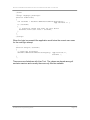
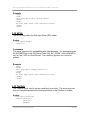
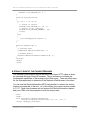
<head>
<meta http-equiv="Application" content="Quit">
</head>
<body>
This message should not be visible.
</body>
</html>
3.2 BATTERY
The Battery tag is used to configure the on-screen battery strength meter. This
meter overlays the HTML content and is updated at a specified interval. You can
change the location and style of the meter. Available styles include a horizontal
or vertical single bar meter or filled battery icon. The meter may be repositioned
by a “touch and drag” stylus action if dragging is not disabled.
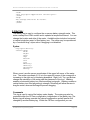
Syntax
http-equiv="Battery"
content="Show"
"Hide"
"Right"
"Left"
"Top"
"Bottom"
"x=n"
"y=m"
"HBattery"
"VBattery"
"AllowDrag"
"NoDrag"
Where x and y are the screen coordinates of the upper left corner of the meter
icon. The screen coordinate (0, 0) is in the upper left corner of the screen with x
increasing to the right and y increasing downward. Right, Left, Top, and Bottom
change the orientation of the meter and the placement of the icon. HBattery
enables a horizontal battery icon filled according to strength. VBattery enables a
vertical battery icon filled according to strength. AllowDrag will allow the user to
drag the meter, whereas NoDrag will prevent dragging.
Comments
This tag is used to control the battery meter display. The meter may also be
controlled within the CETerm configuration, independent of the Battery tag. The
Battery tag will always override the internal configuration and will persist until
changed by another Battery tag. Within the CETerm configuration you can
Web Browser Programming Guide
Page 19