1
Using This User Guide
TickWrite is a powerful data management tool that allows Tick Data clients to create data files customtailored to their needs. The program has many settings that can greatly alter its output, so this User
Guide was developed to explain exactly how the myriad parameters available in TickWrite 7 affect the
format and content of output data.
Whenever possible, the settings look the same between asset types, but a number of variations exist
due to the inherent differences between equities, currencies, futures, options, and indices. The User
Guide explains the settings that pertain to each asset type in separate ‘Creating Files of…’ sections. If a
client only licenses futures data, for example, he/she can skip the sections on Equity Data, Forex Data,
Options Data, and Cash Index and Indicator Data.
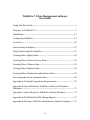
As a result, most users should not have to review this User Guide in its entirety. All first-time users
should refer to the ‘Installation’ and ‘Configuring TickWrite’ sections for setup instructions. If you have
time, review the ‘First Use’ section for details on all menu items. If you plan to use the Scheduler to
automate updates and/or file creation, review ‘Daily Updates and the Scheduler’. Otherwise, skip to
the section on ‘Jobs and the Job Explorer’ for an explanation of the main window, and then go to the
relevant ‘Creating Files of…’ section(s) for details on your specific data type(s).
Welcome to TickWrite 7.1
Volumes in the financial markets are growing exponentially. Market characteristics are changing more
rapidly than ever before. TickWrite 7 was designed to provide clients with the fastest, easiest, and
most flexible way to generate custom ASCII files of historical intraday market data. Since trade and
quote volumes vary greatly from one symbol to the next and one asset class to the next, so will the time
required to generate output files. TickWrite 7 allowed us to compress more fields of information,
greatly expanding the scope of data we can offer.
With TickWrite 7.1, we have further expanded the program’s capabilities. Here are some of the
enhancements and offerings of the new format and software:
-
Expanded global futures and cash index offering, including over 90 futures contracts and 50
cash indices.
A new ASCII-based source file format for all asset classes.
A single program for creating custom ASCII files for all asset classes, including options.
A convenient, familiar interface for Company Info/Ticker Mapping (CITM) clients.
Daily updates for futures, index, and options (trade-only) data.
Seamless integration between TickWrite, the Tick Data Deep History server, and the online
store.
A scheduler and downloader that work together to automatically download daily updates and
generate ASCII output files.
Sales condition information for futures data (beginning 7.1.2011).
New Futures roll features, including Most Active, for more precise continuous futures contract
rollovers and rolling ‘n’ days prior to expiration.
Ratio Adjusting for removing rollover gaps from continuous files of futures data.
Output timestamp in milliseconds when available.
Ability to generate files of sub-minute bars.
Enhanced file output options, including filtering by and re-ordering headers.
Ability to write out bar intervals of trade data using filtered or unfiltered prices (when
processed from TICK trade data).
Please review this User Guide to ensure TickWrite 7.1 is outputting the data in the format you require.
1