1
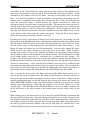
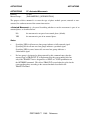
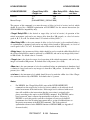
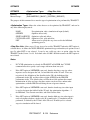
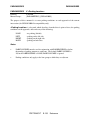
TPC33 - WARNING
This parameter is not a valid numeric entry. Re-enter with a proper number.
This error message indicates that alphabetic or special characters were entered for a parameter
which must be a numeric value. Most commands will re-prompt for parameter re-entry after this
error. After this error is received, the invalid entries will be ignored. The parameter list can also
be re-typed starting at the position where the invalid entry was typed. Null (*) entries may be
used to skip over to that position in the input. All other correct parameter entries for the
command are accepted and processed. Action: Re-enter those parameter values necessary to edit
the parameter values into the desired set of values. In the Manual Mode, it is recommended that
the DATA or ASK command be used to verify that the final accepted parameter values are those
which were desired.
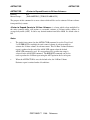
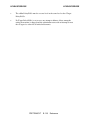
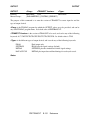
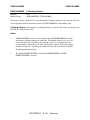
TPC34 - WARNING
This integer number is not in the accepted range xxxxx to xxxxx. Re-enter it.
This input is not in the accepted range xxxxxxxxxx to xxxxxxxxxx. Re-enter.
When a parameter value is entered which lies outside the allowable range of values, this error
message is displayed. If the input entry accepts decimal places, TPC35 is displayed. If input
entries are rounded to the nearest integer value, TPC34 is displayed. The appropriate ranges of
allowable values shown in the error message are usually constants; however, they may be
controlled by other input parameters on other commands. Further information on input limits
can be found in Chapter 4 or Appendix B of the program documentation. Most commands will
re-prompt for parameter entry after this error. After the error is issued, the invalid entries will be
ignored. The parameter list can also be re-typed starting at the position where invalid entry was
typed. Null (*) entries may be used to skip over to that position in the input. All other correct
parameter entries for the command are accepted and processed as usual. Action: Re-enter those
parameter values necessary to edit the parameter values into the desired set of values. In the
Manual Mode, it is recommended that the DATA or ASK command be used to verify that the
final accepted parameter values are those which were desired.
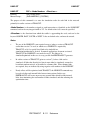
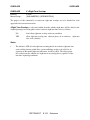
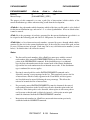
TPC35 - WARNING
This decimal number is not in the accepted range xxx.xx to xxx.xx. Re-enter.
When a parameter value is entered which lies outside the allowable range of values, this error
message is displayed. If the input entry accepts decimal places, TPC35 is displayed. If input
entries are rounded to the nearest integer value, TPC34 is displayed. The appropriate ranges of
allowable values shown in the error message are usually constants; however, they may be
controlled by other input parameters on other commands. Further information on input limits
can be found in Chapter 4 or Appendix B of the program documentation. Most commands will
re-prompt for parameter entry after this error. After the error is issued, the invalid entries will be
ignored. The parameter list can also be re-typed starting at the position where invalid entry was
typed. Null (*) entries may be used to skip over to that position in the input. All other correct
parameter entries for the command are accepted and processed as usual. Action: Re-enter those
parameter values necessary to edit the parameter values into the desired set of values. In the
Manual Mode, it is recommended that the DATA or ASK command be used to verify that the
final accepted parameter values are those which were desired.
TEAPAC
F-222
Reference