1
Creating Reports
Overview
Reports vs. Exports
This chapter describes how to create and distribute reports generated from the form data submitted to
your website. But first it’s important to distinguish between “reports” and “exports”. Exports are a
simple conversion of some or all data records for a particular form to another file format. Data are
exported to your desktop computer or to a cloud account such as Google Docs/Drive. Exports are
always in a spreadsheet-like format (with the exception of KML which is a mapping format). Exports are
done from the File menu in either the View Data or Dispatch tabs.
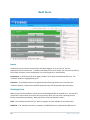
Reports, which are described in this chapter, are highly formatted Excel or PDF files which can include
embedded images, signatures and maps. Reports generally involve one completed form data record
(i.e., one filled out form), but can also be used to aggregate data from several different but related
forms. Reports can be generated from the Row or Data menus in either the View Data or Dispatch tabs.
Reports can also be emailed from a mobile device by including an Email Report widget in your forms
when you construct them in the Build Forms tab..
Reports
| 83