1
Spring Boot Reference Guide
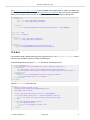
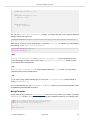
3. Add the spring-boot-loader classes at the root of the archive (so the Main-Class is available).
Example:
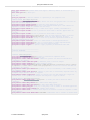
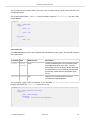
<target name="build" depends="compile">
<copy todir="target/classes/lib">
<fileset dir="lib/runtime" />
</copy>
<jar destfile="target/spring-boot-sample-actuator-${spring-boot.version}.jar" compress="false">
<fileset dir="target/classes" />
<fileset dir="src/main/resources" />
<zipfileset src="lib/loader/spring-boot-loader-jar-${spring-boot.version}.jar" />
<manifest>
<attribute name="Main-Class" value="org.springframework.boot.loader.JarLauncher" />
<attribute name="Start-Class" value="${start-class}" />
</manifest>
</jar>
</target>
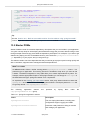
The Actuator Sample has a build.xml that should work if you run it with
$ ant -lib <folder containing ivy-2.2.jar>
after which you can run the application with
$ java -jar target/*.jar
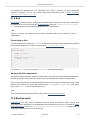
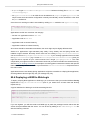
79.9 How to use Java 6
If you want to use Spring Boot with Java 6 there are a small number of configuration changes that you
will have to make. The exact changes depend on your application’s functionality.
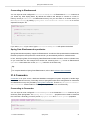
Embedded servlet container compatibility
If you are using one of Boot’s embedded Servlet containers you will have to use a Java 6-compatible
container. Both Tomcat 7 and Jetty 8 are Java 6 compatible. See Section 70.14, “Use Tomcat 7” and
Section 70.15, “Use Jetty 8” for details.
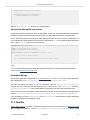
JTA API compatibility
While the Java Transaction API itself doesn’t require Java 7 the official API jar contains classes that
have been built to require Java 7. If you are using JTA then you will need to replace the official JTA 1.2
API jar with one that has been built to work on Java 6. To do so, exclude any transitive dependencies
on javax.transaction:javax.transaction-api and replace them with a dependency on
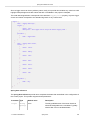
org.jboss.spec.javax.transaction:jboss-transaction-api_1.2_spec:1.0.0.Final
1.3.1.BUILD-SNAPSHOT
Spring Boot
228