1
Spring Boot Reference Guide
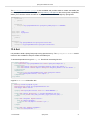
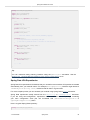
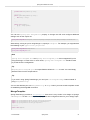
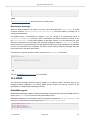
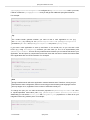
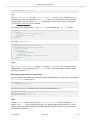
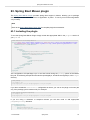
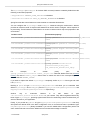
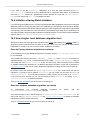
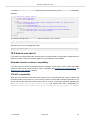
import org.springframework.data.domain.*;
import org.springframework.data.repository.*;
public interface CityRepository extends Repository<City, Long> {
Page<City> findAll(Pageable pageable);
City findByNameAndCountryAllIgnoringCase(String name, String country);
}
Tip
We have barely scratched the surface of Spring Data JPA. For complete details check their
reference documentation.
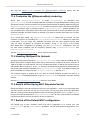
Creating and dropping JPA databases
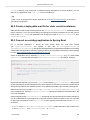
By default, JPA databases will be automatically created only if you use an embedded database
(H2, HSQL or Derby). You can explicitly configure JPA settings using spring.jpa.* properties. For
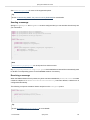
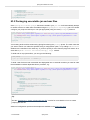
example, to create and drop tables you can add the following to your application.properties.
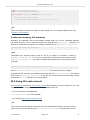
spring.jpa.hibernate.ddl-auto=create-drop
Note
Hibernate’s own internal property name for this (if you happen to remember it better) is
hibernate.hbm2ddl.auto. You can set it, along with other Hibernate native properties, using
spring.jpa.properties.* (the prefix is stripped before adding them to the entity manager).
Example:
spring.jpa.properties.hibernate.globally_quoted_identifiers=true
passes hibernate.globally_quoted_identifiers to the Hibernate entity manager.
By default the DDL execution (or validation) is deferred until the ApplicationContext has started.
There is also a spring.jpa.generate-ddl flag, but it is not used if Hibernate autoconfig is active
because the ddl-auto settings are more fine-grained.
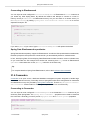
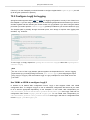
29.4 Using H2’s web console
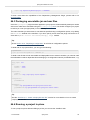
The H2 database provides a browser-based console that Spring Boot can auto-configure for you. The
console will be auto-configured when the following conditions are met:
• You are developing a web application
• com.h2database:h2 is on the classpath
• You are using Spring Boot’s developer tools
Tip
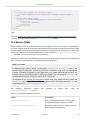
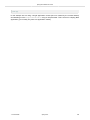
If you are not using Spring Boot’s developer tools, but would still like to make use of H2’s console,
then you can do so by configuring the spring.h2.console.enabled property with a value of
1.3.0.RELEASE
Spring Boot
89