1
.
Chapter 6
Example Program: Bank Simulation
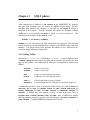
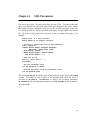
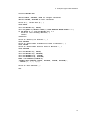
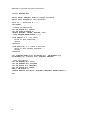
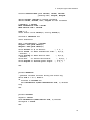
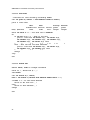
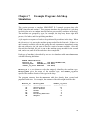
This section presents a complete SIMSCRIPT II.5 example program that calls
SDBC functions and routines. This program simulates a bank with a single queue
and multiple tellers and keeps track of simulation runs in a database. Each run is
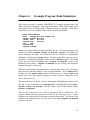
recorded as one row in a database table with the following definition:
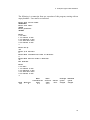
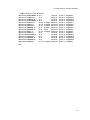
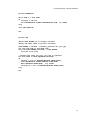
CREATE TABLE BANKSIM
(RUNID
INTEGER NOT
TELLERS INTEGER NOT
IATIME REAL
NOT
SRVTIME REAL
NOT
UTIL
REAL,
AVGQLEN REAL,
MAXQLEN INTEGER)
NULL PRIMARY KEY,
NULL,
NULL,
NULL,
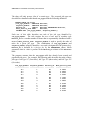
RUNID is an integer ID that uniquely identifies the run. The input parameters are
recorded in columns TELLERS, IATIME, and SRVTIME. TELLERS is the number of
tellers working at the bank. The interarrival time of customers is exponentially
distributed with a mean of IATIME minutes. The time required for a teller to serve a
customer is exponentially distributed with a mean of SRVTIME minutes. The results
of the run are stored in columns UTIL, AVGQLEN, and MAXQLEN. UTIL is the
utilization of the tellers. AVGQLEN and MAXQLEN are the average and maximum
length of the queue, respectively.
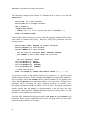
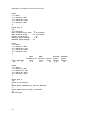
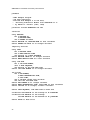
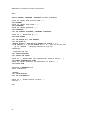
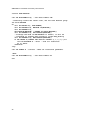
The main routine begins by prompting the user for the data source name, user name,
and password, and then connects to the specified database. If the BANKSIM table
does not exist, the CREATE.TABLE routine is called to create it. Then the MAIN.LOOP
routine takes over and repeatedly displays a menu of choices, obtains the user's
choice and processes it.
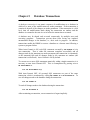
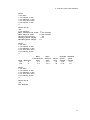
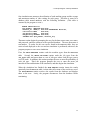
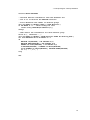
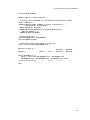
The user may choose to Define a Run by entering the ID and input parameters for a
new run. A row is inserted into the BANKSIM table containing the specified RUNID,
TELLERS, IATIME, and SRVTIME, with null values in the result columns, UTIL,
AVGQLEN, and MAXQLEN.
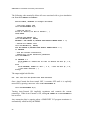
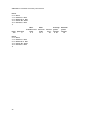
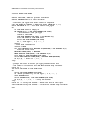
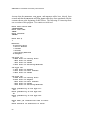
The user may choose to Execute a Run by entering the ID of a defined run. The
program obtains the input parameters for this run by retrieving its row. It then
simulates one eight-hour day at the bank using these parameters. The results of the
simulation are displayed to the user and saved in the UTIL, AVGQLEN, and MAXQLEN
columns of the row.
27