1
Commands
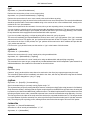
and then type the Return key. You will then see the command line prompt change to the following:
C:\Program Files\CueStation-4.6.0>
3. Enter the command you would like to use, starting with "csdo.exe" and the server's IP address. For instance,
if you wanted to recall cue 3 on a server located at 192.168.0.101, you would enter the following:
C:\Program Files\CueStation-4.6.0> csdo.exe 192.168.0.101 recall cue 3
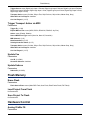
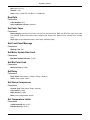
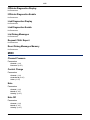
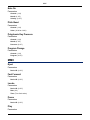
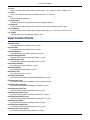
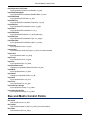
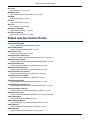
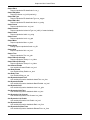
See the next section, Commands (p. 72), for a list of all possible commands. Or, just enter "csdo.exe" and type the
Return key.
SuSE Linux
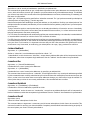
1. Open a shell window. Click on the green SuSE icon in the bottom left, and select Run Command... Enter
"konsole" into the text box, and click OK. When you open the program, you will see something like the following:
username@computer-name:~>
2. Using the command line, navigate to the directory where CueStation (and csdo) is installed. For instance, if
CueStation is installed in your Applications folder, you might type something like:
username@computer-name:~> cd /Applications/CueStation-4.6.0/
and then type the Return key. You will then see the command line prompt change to the following:
username@computer-name:/Applications/CueStation-4.6.0>
3. Enter the command you would like to use, starting with "./csdo" and the server's IP address. For instance, if
you wanted to recall cue 3 on a server located at 192.168.0.101, you would enter the following:
username@computer-name:/Applications/CueStation-4.6.0> ./csdo 192.168.0.101 recall cue 3
See the next section, Commands (p. 72), for a list of all possible commands. Or, just enter "./csdo" and type the
Return key.
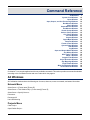
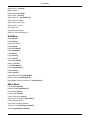
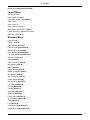
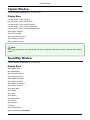
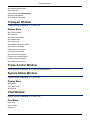
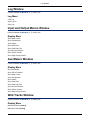
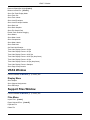
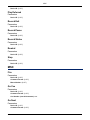
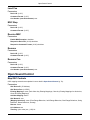
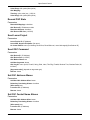
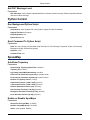
Commands
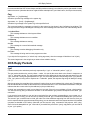
Parameters listed in [brackets] are optional. Parameters listed in (parenthesis) are required.
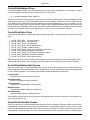
go [cuelistplayer]
Sends a "GO" command to the cue list player, if one is specified. If not, the command is sent to cue list player
1.
stop [cuelistplayer]
Sends a "Stop" command to the cue list player, if one is specified. If not, the command is sent to cue list player
1.
top [cuelistplayer]
Moves the cue-on-deck pointer to the top of the cue list, on the cue list player specified. If not, the command is
sent to cue list player 1.
bottom [cuelistplayer]
Moves the cue-on-deck pointer to the bottom of the cue list, on the cue list player specified. If not, the command
is sent to cue list player 1.
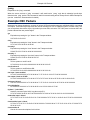
prev [cuelistplayer]
Moves the cue-on-deck pointer back one cue, on the cue list player specified. If not, the command is sent to
cue list player 1.
72