1
The pdfTEX user manual
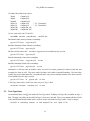
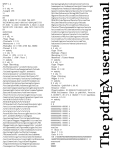
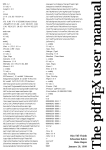
Here 8 0 obj ... endobj is the object capsule. The first number is the object number. Later we will
see that pdfTEX gives access to this number. One can for instance create an object by using \pdfobj
after which \pdflastobj returns the number. So
\pdfobj{/Type /Catalog /Pages 6 0 R}
inserts an object into the file, while \pdflastobj returns the number pdfTEX assigned to this object.
The sequence 6 0 R is an object reference, a pointer to another object. The second number (here a zero)
is currently not used in pdfTEX; it is the version number of the object. It is for instance used by pdf
editors, when they replace objects by new ones.
In general this rather direct way of pushing objects in the files is rather useless and only makes sense
when implementing for instance fill--in field support or annotation content reuse. We will come to that
later. Unless such direct objects are part of something larger, they will end up as isolated entities, not
doing any harm but not doing any good either.
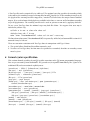
When a viewer opens a pdf file, it first goes to the end of the file. There it finds the keyword startxref,
the signal where to look for the so called ‘object cross reference table’. This table provides fast access to
the objects that make up the file. The actual starting point of the file is defined after the trailer. The
/Root entry points to the catalog. In this catalog the viewer can find the page list. In our example we
have only one page. The trailer also holds an /Info entry, which tells a bit more about the document.
Just follow the thread:
/Root −→ object 8 −→ /Pages −→ object 6 −→ /Kids −→ object 2 −→ page content
As soon as we add annotations, a fancy word for hyperlinks and alike, some more entries are present in
the catalog. We invite users to take a look at the pdf code of this file to get an impression of that.
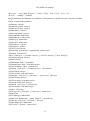
The page content is a stream of drawing operations. Such a stream can be compressed, where the level
of compression can be set with \pdfcompresslevel. Let’s take a closer look at this stream. First there
is a transformation matrix, six numbers followed by cm. As in PostScript, the operator comes after the
operands. Between BT and ET comes the text. A font switch can be recognized as /F... The actual text
goes between () so that it creates a PostScript string. When one analyzes a file produced by a less
sophisticated typesetting engine, whole sequences of words can be recognized. In TEX however, the text
comes out rather fragmented, mainly because a lot of kerning takes place. Because viewers can search
in these streams, one can imagine that the average TEX produced files becomes more difficult as soon as
the typesetting engine does a better job; TEX cannot do less.
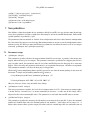
This one page example uses an Adobe Times Roman font. This is one of the 14 fonts that is always
present in the viewer application, and is called a base font. However, when we use for instance Computer
Modern Roman, we have to make sure that this font is available, and the best way to do this is to embed
it in the file. Just let your eyes follow the object thread and see how a font is described. The only thing
missing in this example is the (partially) embedded glyph description file, which for the base fonts is
not needed.
In this simple file, we don’t specify in what way the file should be opened, for instance full screen or
clipped. A closer look at the page object (/Type /Page) shows that a mediabox is part of the page
description. A mediabox acts like the bounding box in a PostScript file. pdfTEX users have access to
this object by \pdfpageattr.
2