1
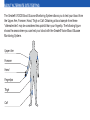
SYSTEM FUNCTIONS
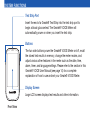
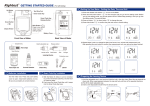
Test Strip Port
Insert the end of a Gmate® Test Strip into the test strip port to
begin a blood glucose test. The Gmate® VOICE Meter will
automatically power on when you insert the test strip.
Buttons
The two side buttons power the Gmate® VOICE Meter on/off, recall
the stored test results in memory, change the meter modes, and
adjust various other features in the meter such as the date, time,
alarm, timer, and language settings. Please refer to the section in this
Gmate® VOICE User Manual (see page 14) for a complete
explanation of how to use and set your Gmate® VOICE Meter.
Display Screen
Large LCD screen displays test results and other information.
Front View