1
Section 3 - Configuration
Event Search and Playback Management
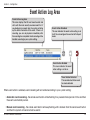
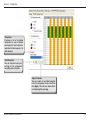
The Event search and playback button allows you to select and query both the event(s) and camera(s), and playback
the event(s) which has been recorded by the system. This function also provides additional features for you exporting
video files in AVI format, and exporting the event log information (Date/Time, Source, Type, Action, Relation Source
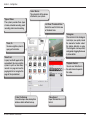
and Context information) in .txt file. The playback speed can be specified with the playback control bar.
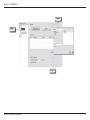
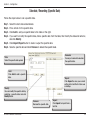
Step 1 - Select the event type, start and end date.
Step 2 - Select device type, and then click Query.
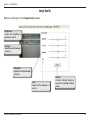
Step 3 - If the result list has a recording file, double click the list, then the system will pop up a video display page and
playback the video. Click Close button to return to event search and playback page.
Step 4 - You can export the log lists by clicking the Export button.
Step 5 - Click
/Close button to return to main screen.
D-Link D-ViewCam User Manual
68