1
List Window
Creating New Lists
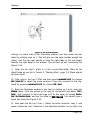
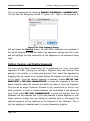
of the arrow.
GCK can use as many lists as are present in the G CK D ata folder. Textco
has included some standard lists, including lists of commercially available
enzymes that represent 4-, 5-, 6-, 7-, or 8-base recognition sequences.
Creating New Lists
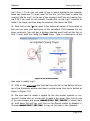
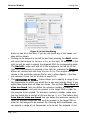
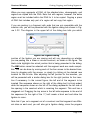
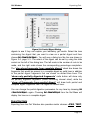
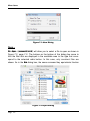
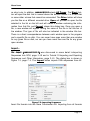
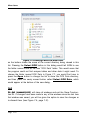
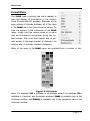
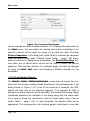
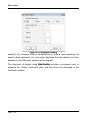
List entries may be selected by choosing them in the list at the left side of the
dialog (Figure 4.3, page 4-3). Once selected, list entries can be copied (or
cut), and pasted into other lists. As in most standard lists, you can select
adjacent multiple entries by clicking on each additional entry with the shift key
down. To select non-adjacent entries, hold down the command key (Macintosh) or the ctrl key (Windows) and then click with the mouse on the new
item to select.
To create a list of enzymes that you use often, you might start with the commercially available list and then cut out those enzymes that you do not use.
Choosing File > Save As… will allow you to save the new (edited) file under a
new name. If you only have a small set of enzymes you want in a new file, it
might be easiest to create a new list file (File > New…) and then paste in the
enzymes you want in that new file.
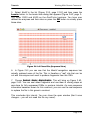
The list com m ercial(+com m ents) contains comments listing any isoschizomers
and commercial sources for the enzyme selected.
Alphabetical Lists
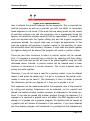
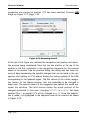
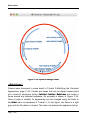
Lists can be defined as being alphabetical or not by selecting List > Alphabetical
List. When this item is checked, the list will always be maintained in an alphabetical order. This means that creating new entries, renaming entries, cutting
from and pasting into the list will all result in alphabetical lists. GCK will sort
the list after you have performed your operation. If the Alphabetical List option is
not checked, pasting, cutting, etc. will not necessarily result in an alphabetical
list.
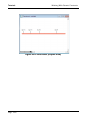
A non-alphabetical list might be used for storing linkers in order or size or
Page 4-5