1
Hallisoft
Integrated software solutions for the Internet
8.
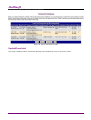
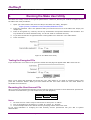
Running the Make User Utility
The Make User utility is used to encrypt the passwords in “Users.txt”, the file your created in chapter 6. Run
the Make User utility as follows:
1.
Open your web browser and enter the URL for the Make User utility, Example:
2.
Enter the password. This is the password that you entered into line 15 of the Make User Script (see
chapter 3b).
3.
Enter an encryption key. This key can be any combination of keyboard characters and numbers. The
key should be at least 6 characters long. You do not need to remember this key.
4.
If you want to test the encrypted file after running Make User check the “Yes” radio button.
5.
Press “Continue”.
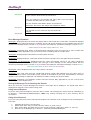
https://www.yourdomain.com/TransMan/MakeUser.html
Figure 9: The Make User Utility
Testing the Encrypted File
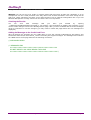
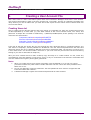
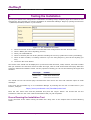
If you checked the “Yes” radio in the previous section the test page will appear after Make User has run.
Figure 10: Running the Test
Enter a user name and password and check the “Yes” radio button if you want to continue testing, then
press the "Continue” button. When you have tested the last user name check the “No” radio button to
terminate the test session.
Renaming the User Account File
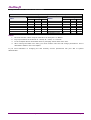
After you have encrypted and tested the User Account file change its name to Users.dat and set permissions
on the file as shown below (you can do this from your FTP program).
Access Rights to Users.dat
Owner
Group
Users
RW
R
R
Notes:
1. On some servers “Users” may be referred to as “Everyone” or “Other”.
2. Key to permissions is as follows: R = Read, W = Write, X = Execute
3. In the examples above the default directory and page names have been used.
If you need assistance in changing file and directory access permissions ask your ISP or system
administrator.
http//:www.hallisoft.com
Page 26