1
94
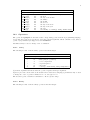
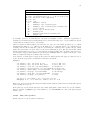
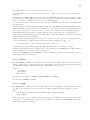
34.49.68.1 Graph-menu The gnuplot graph window has the following options on a pop-up menu
accessed by pressing the right mouse button or selecting Options from the system menu:
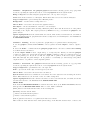
Bring to Top when checked brings the graph window to the top after every plot.
Color when checked enables color linestyles. When unchecked it forces monochrome linestyles.
Copy to Clipboard copies a bitmap and a Metafile picture.
Background... sets the window background color.
Choose Font... selects the font used in the graphics window.
Line Styles... allows customization of the line colors and styles.
Print... prints the graphics windows using a Windows printer driver and allows selection of the printer
and scaling of the output. The output produced by Print is not as good as that from gnuplot’s own
printer drivers.
Update wgnuplot.ini saves the current window locations, window sizes, text window font, text window
font size, graph window font, graph window font size, background color and linestyles to the initialization
file WGNUPLOT.INI.
34.49.68.2
Printing
In order of preference, graphs may be be printed in the following ways.
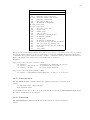
1. Use the gnuplot command set terminal to select a printer and set output to redirect output to
a file.
2. Select the Print... command from the gnuplot graph window. An extra command screendump
does this from the text window.
3. If set output "PRN" is used, output will go to a temporary file. When you exit from gnuplot
or when you change the output with another set output command, a dialog box will appear for you
to select a printer port. If you choose OK, the output will be printed on the selected port, passing
unmodified through the print manager. It is possible to accidentally (or deliberately) send printer
output meant for one printer to an incompatible printer.
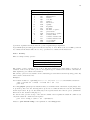
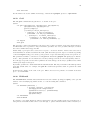
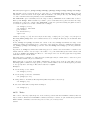
34.49.68.3 Text-menu The gnuplot text window has the following options on a pop-up menu
accessed by pressing the right mouse button or selecting Options from the system menu:
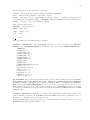
Copy to Clipboard copies marked text to the clipboard.
Paste copies text from the clipboard as if typed by the user.
Choose Font... selects the font used in the text window.
System Colors when selected makes the text window honor the System Colors set using the Control
Panel. When unselected, text is black or blue on a white background.
Update wgnuplot.ini saves the current text window location, text window size, text window font and
text window font size to the initialisation file WGNUPLOT.INI.
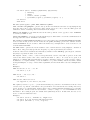
MENU BAR
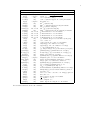
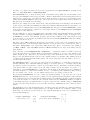
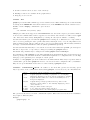
If the menu file WGNUPLOT.MNU is found in the same directory as WGNUPLOT.EXE, then the
menu specified in WGNUPLOT.MNU will be loaded. Menu commands:
[Menu] starts a new menu with the name on the following line.
[EndMenu] ends the current menu.
[–] inserts a horizontal menu separator.
[|] inserts a vertical menu separator.
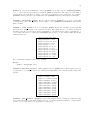
[Button] puts the next macro on a push button instead of a menu.
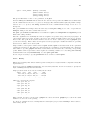
Macros take two lines with the macro name (menu entry) on the first line and the macro on the second