1
Configuration techniques
− Trend graphics (What are trend graphics? (Chapter 5.2.8))
− Date/time display (What is a date/time display? (Chapter 5.2.15))
− Digital/analog clock ( What is a digital/analog clock? (Chapter 5.2.16))
− Analog display (What is an analog display? (Chapter 5.2.14))
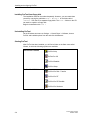
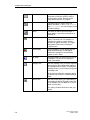
The following controls are available in ProTool:
•
Input fields (Chapter 5.2.6)
•
Function keys (Chapter 5.2.7)
•
Buttons (Chapter 5.2.10)
•
Status button (Chapter 5.2.11)
•
Switch (Chapter 5.2.12)
•
Slider controls (Chapter 5.2.13)
By means of dynamic attributes (What are dynamic attributes? (Chapter 5.14.4))
you can indicate, for example, by means of a change of color or by flashing that
an operator input is expected at the control in a certain situation. Furthermore,
event-driven display and hiding of controls can be performed on the operating unit
(Hiding an object (Chapter 5.14.3)).
Detailed descriptions of the different steps to configuration will be found in the
ProTool online Help.
5.2.2
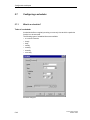
What is static text?
Static text is text that is not linked to the PLC. It cannot be modified at runtime on
the operating unit. Use static text, for example, to label controls and output fields.
The relative importance of different text strings on a screen can be illustrated by
means of different fonts and properties (size, color, flashing etc.).
Remark for MP270
If you configure a tab in static text on the MP270, this will be replaced by another
character.
You can configure static text separately for any language available on the
operating unit.
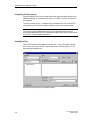
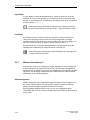
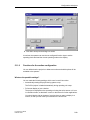
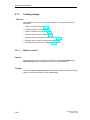
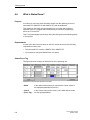
Configure static text by selecting the symbol illustrated.
5-12
ProTool User’s Guide
Release 12/99