1
Commissioning
Mobile Computer MC 95xxex-NI
Type B7-A29.-…………
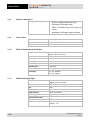
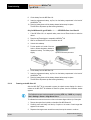
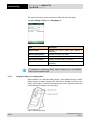
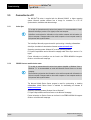
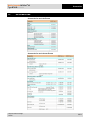
The health of the battery can also be viewed on the MC 95xxex-NI Power applet.
Tap Start > Settings > Power icon > BatteryMgmt tab.
Power – BatteryMgmt Window
Item
Description
State of Health
Battery Usage Indicator
Indicates the current battery state (Healthy or
Unhealthy).
Indicates the usage of the battery.
Battery Usage Threshold
Indicates the usage indicator threshold.
Battery Serial Number
Displays the serial number of the battery.
State of Health
Indicates the current battery state (Healthy or
Unhealthy).
For information on changing the Battery Usage Threshold, refer to the MC9500-K
Mobile Computer Integrator Guide.
5.4.1.9
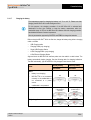
Charging the battery in a charging station
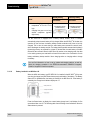
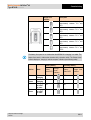
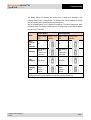
When the battery is in a Single Slot Battery Charger, Four Slot Battery Charger or Vehicle
Battery Charger, the battery charging status and health is indicated on the front of the
battery. If the charger is not powered, the battery acts as if it is in stand-alone mode. See
the next Stand-alone chapter for more information.
Battery in Single Slot Battery Charger
30/64
Subject to technical changes.
04/2015