1
Mobile Computer MC 95xxex-NI
Type B7-A29.-…………
6.3.2.1
6.3.2.2
Operation
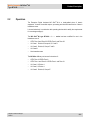
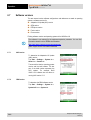
Suitable materials
−
Alcohol cleaning cloths
−
Lens cleaning cloths
−
Cotton swabs
−
Isopropanol
−
Compressed air spray with tube
Housing
Wipe the housing including the keys and the spaces between the keys with the alcohol
cleaning wipes.
6.3.2.3
Display
The display can be cleaned with the alcohol cleaning wipes, however, attention must be
paid that liquid does not collect around the edges of the display. The display must then be
dried immediately with a soft, fluff-free cloth to avoid streaks.
6.3.2.4
Scan window
Clean the scan window regularly with a lens cleaning wipe or another suitable cleaning
agent for optical equipment such as, for example, spectacles.
6.3.2.5
Interface connection
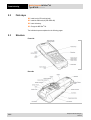
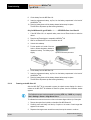
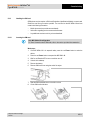
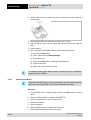
1. Remove the battery from the MC 95xxex-NI. See chapter "Replacing a battery".
2. Dip the end of a cotton bud in Isopropyl.
3. Rub over the interface connection on the rear of the MC 95xxex-NI several times with
the tip of the cotton bud. Pay attention that no cotton residue remains on the plug
connector.
4. Repeat this procedure at least three times.
5. Remove all grease and dirt deposits in the plug connector area with the help of the
alcohol-soaked cleaning cotton bud.
6. Then use a dry cotton bud and repeat steps 3 to 5.
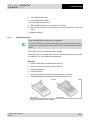
7. Spray compressed air onto the plug-connector area and keep the hose, resp. the
nozzle about 15 mm above the surface.
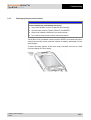
8. Check the area for grease and dirt residue and repeat the cleaning procedure if
necessary.
9. Change the battery.
Subject to technical changes.
04/2015
43/64