1
ACS CFSound-IV BASIC Programming Manual
1 October 2015
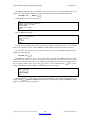
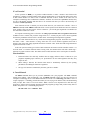
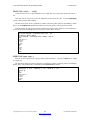
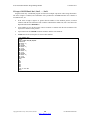
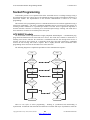
Once the handler has been established by executing the ONEVENT statement the event can happen in
between any two program statements. In this example the @SECOND changed between lines 30 and 40
but it could have occurred somewhere else. The only place that the event handler cannot be called is inside
the event handler itself. This is because events are prioritized – an executing event handler can only be
interrupted by a higher priority event than the event which is being handled. Notice that event handlers take
time away from your program and they prevent lower priority event handlers from running when they are.
It is important to quickly handle the event and RETURN so that your program can and other event
handlers can continue to run.
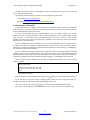
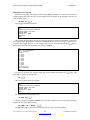
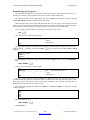
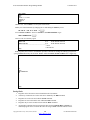
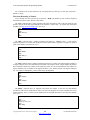
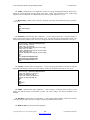
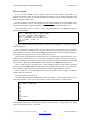
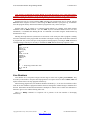
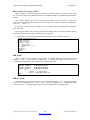
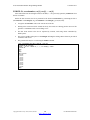
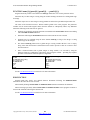
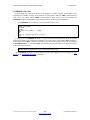
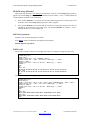
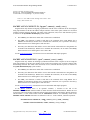
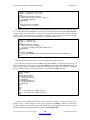
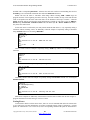
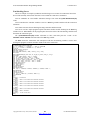
Let’s rewrite the metronome program to use events. We add line 12 to establish an event handler
subroutine for @TIMER[0] – when it counts to zero the subroutine at line 1000 will be called. We remove
line 27 that was ‘polling’ the @TIMER for zero. We move lines 30 and 35 to 1005 and 1010 and add line
1015 to reset the timer for the next tick/tock cycle.
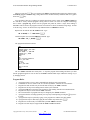
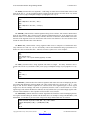
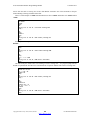
Line 25 now ‘primes the pump’ so to speak – it starts the @TIMER[0] running. When it counts to zero
then the subroutine at line 1000 is called, prints tick or tock and sets the timer for the next cycle.
Notice that once the timer has started the rest of the program in line 40 does nothing – it just loops back
onto itself. In other applications there may be more work to do outside of the event handling.
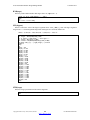
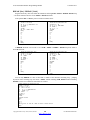
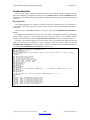
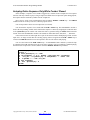
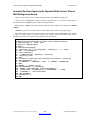
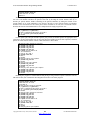
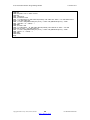
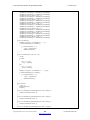
10 REM Metronome using @TIMER events
12 ONEVENT @TIMER[0], GOSUB 1000
15 t = 0 : INPUT "Enter tempo beats per minute (30 - 300) :",tempo
20 IF tempo < 30 OR tempo > 300 THEN GOTO 15
25 @TIMER[0] = 3000 / tempo
40 GOTO 40
1000 REM @TIMER[0] Event Handler
1005 IF t = 0 THEN PRINT "Tick" ELSE PRINT "Tock"
1010 IF t = 0 THEN t = 1 ELSE t = 0
1015 @TIMER[0] = 3000 / tempo
1020 RETURN
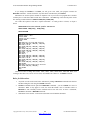
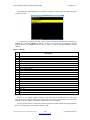
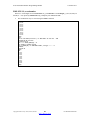
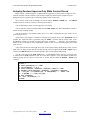
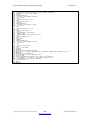
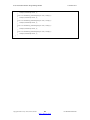
Ready
run
Enter tempo beats per minute (30 - 300) :100
Tick
Tock
Tick
Tock
Tick
<<< ESC at line 40 >>>
Ready
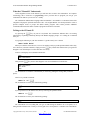
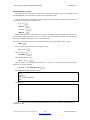
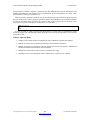
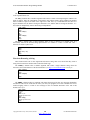
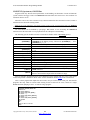
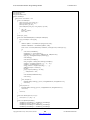
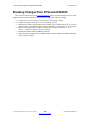
It is important to remember that all variables are shared between all parts of your program. If your
program is performing some long calculation using a variable and you change that variable in an event
handler your program may get confused or generate incorrect results since the event handler can potentially
execute anywhere in your program after it is configured.
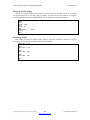
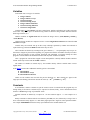
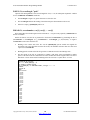
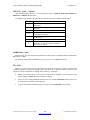
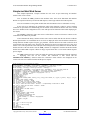
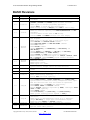
Rules for Events
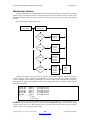
1.
Some system variables provide support for ‘events’ when their value changes.
2.
A program can automatically call a subroutine when an event occurs using the ONEVENT
statement to associate the system variable with the subroutine – to ‘handle’ the event.
3.
While in an event handler subroutine identical or lower-priority events cannot be handled until
after the RETURN.
Copyright©1992-2015 by ACS, Sarasota, Florida
39
Back to Table of Contents
ALL RIGHTS RESERVED