1
Chapter 2. CLI Syntax Reference
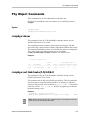
Port Object Commands
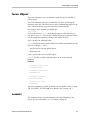
Port Object Messages are commands that provide information and perform
actions related to a specific disk, attached to a port (or virtual port), such as /
c0/p0. You use port object commands for such tasks as seeing the status,
model, or serial number of the drive.
Note that all references to “port” also apply to “VPort” for the commands in
this section.
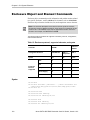
Note: Features indicated as “9690SA only,” “9000 series,” or “9000 series SE/SA
only” also apply to 9750 controllers.
Syntax
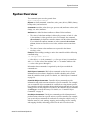
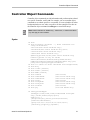
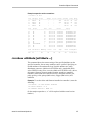
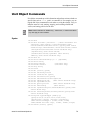
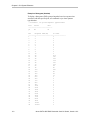
/cx/px show
/cx/px show attribute [attribute ...] where attributes are:
capacity|firmware|identify (9000 series SX/SE/SA only)|
lspeed (9000 series SX/SE/SA only)|model|
ncq (9000 series SX/SE/SA only)|serial|smart|status|
identify (9000 series SX/SE/SA only)|
driveinfo (9750 and 9690SA only)
dpmstat type=instr|ra|lct|histdata|ext
(9000 series SX/SE/SA, except for type=ext, which is SE/
SA only)
/cx/px show all
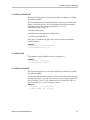
/cx/px remove [noscan][quiet]
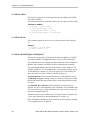
/cx/px set identify=on|off (9000 series SX/SE/SA only)
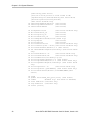
/cx/px set dpmstate=clear [type=<ra|lct|ext>] (9000 series
SX/SE/SA only, except for type=ext which is 9000 series
SE/SA only)
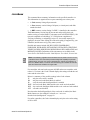
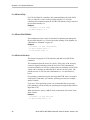
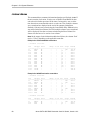
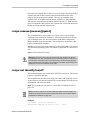
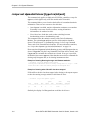
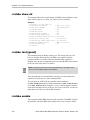
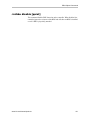
/cx/px show
This command shows summary information about the specified disk attached
to port /cx/px.
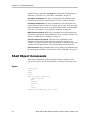
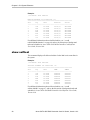
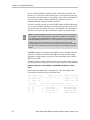
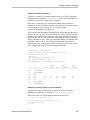
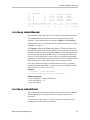
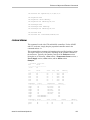
Example for 9650SE and earlier controllers:
//localhost> /c1/p5 show
Port
Status
Unit
Size
Blocks
Serial
--------------------------------------------------------p5
OK
u0
149.05 GB
312581808
3JS0L9QW
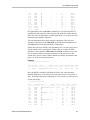
The above output indicates that port 5 of controller 1 is attached to one disk
with status OK participating in unit 0.
104
3ware SATA+SAS RAID Controller Card CLI Guide, Version 10.0