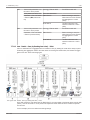
1
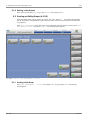
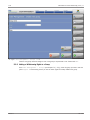
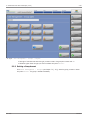
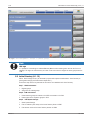
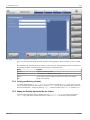
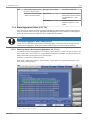
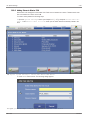
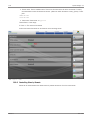
4.10 System Settings | 10 Preconditions • Connect each line to the database (external net, second network card). For this purpose an automatic IP Address can be used. • Connect the master and slaves internally via tcp/ip. Use the internal network cards with IP 192.168.10x.20x. • Activate the TcpAckFrequency for this network in the registry for each PC. • The master and each slave must be defined as separate lines in a common database (tbl_lines) on a database server. The database connection has to be set for each line as a registry entry. The second network card of the IPC should be used for this external net. An automatic IP address can be used. Slaves never have an own database. They are always connected to the same database as the master. Future Feature: In the case of local caching the slave must have a connection to the cache database and to the global one. To use local caching a MSSQL-server database must be installed on the master IPC. – Example registry database connection entry (Master): Windows Registry Editor Version 5.00 [HKEY_LOCAL_MACHINE\SOFTWARE\JavaSoft\Prefs\de\pharmacontrol\tnt] "db/Driver/Class/Name"="com.microsoft.sqlserver.jdbc./S/Q/L/Server/Driver" "db/Connect/U/R/L"="jdbc:sqlserver:\\\\172.25.73.70:1433;/Database/Name=PLM_4_10_Test" "db/Username"="sa" "db/Password"="xxx" "line/Name"="Master" Slave 1 (the same as master but different line name) "line/Name"="SCS-Slave" Slave 2 (the same as master but different line name) "line/Name"="MAS-Slave" 10.9.1.1 Starting a Slave A PLM can be started as slave by entering the parameter slave into the standard launcher. Go to C: \PCE\launch_pilot.bat File name: launch_pilot.bat: cd %~dp0 cd Pilot launcher.bat -slave Restart the PLM for the change to take effect. The PLM will be started as slave. 10.9.1.2 Starting the Master When the slaves were previously added as devices to the PLM, the PLM will recognize the slaves and will start as master. The PLM will be started as a slave. Version A 195 / 242