1
User Manual GeoT*SOL basic
2 Software administration
If installing from CD, place the CD into your computer's CD drive. If you have not deactivated the CD drive
autorun function, the installation program will start automatically. Otherwise, open your operating
system's file manager or Explorer and double-click the file geotsol_basic.exe in the CD drive.
In order to install the program, you must be logged on with administrator rights.
To run the program, you must have read and write rights to the GeoT*SOL basic program directory. (e.g.
C:\Program Files\Valentin EnergieSoftware\GeoTSOL).
All installation paths have English descriptions.
The programme icon appears in the Windows Start Menu and on the desktop after installation.
The single-user version of GeoT*SOL basic® can only be installed locally. However, because it is possible to
save the database and project files under any path, and these can be set as standard paths in the
program, parts of the program can be moved to different hard drives.
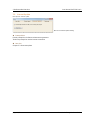
2.3 Activating the Program
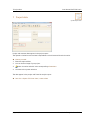
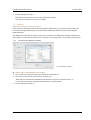
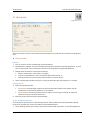
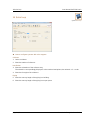
Image 2.2.2: Activation assistant
After installing and opening the program, you will be asked whether you wish to start the program as a
demo version or register the full product. This prompt appears every time you start until the program has
been activated.
Activation of the program is carried out by entering an activation code. This code is provided during the
activation process.
è Requirement: Serial number
The serial number is made up of a combination of 37 digits and letters, which you will have to enter
without any spaces in between, but including the special characters (hyphens). You will find the
serial number either on the CD case or on the invoice. Alternatively, if you made your purchase
online, you will have been notified by e-mail.
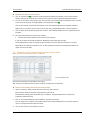
è How to activate the program:
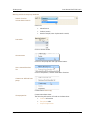
Proceed through the following registration steps:
1.
Install the program.
2. Start the program.
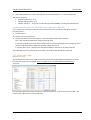
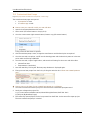
3. Navigate to the menu Help > Info > Registration, and click on Change Registration
4. Click Continue
5.
Enter the serial number.
Dr. Valentin EnergieSoftware GmbH
page 8 / 50