1
Calendar
Sharing Events
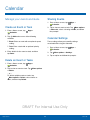
Manage your events and tasks.
1. From a Home screen, tap
Calendar.
Create an Event or Task
1. From a Home screen, tap
Calendar.
Apps >
2. Tap to view an event or task. Tap More options
> Share via, select a sharing method, and follow
the prompts.
Apps >
2. Tap
Add and use one of the following
methods:
Calendar Settings
•
Event: Enter an event with an optional repeat
setting.
These settings allow you to modify settings
associated with using the Calendar.
•
Task: Enter a task with an optional priority
setting.
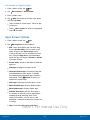
1. From a Home screen, tap
Calendar.
3. Enter details for the event or task, and then
tap Done.
2. Tap
Apps >
More options > Settings.
3. Tap an option and follow the prompts.
Delete an Event or Tasks
1. From a Home screen, tap
Calendar.
Apps >
2. Tap to view an event or task. Tap More options
> Delete.
– or –
To delete multiple events or tasks, tap
More options > Delete, select events or
tasks, and then tap Delete.
DRAFT For Internal Use Only
Applications
52
Calendar