1
User Manual
Danfoss Telematics Solution Logging Data
Configure Logged Data View
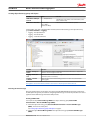
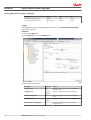
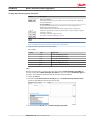
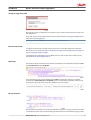
The ValueView reverence to defined Value Definitions. Additional information in this row are related to
show a unit or not and to format a value in C-type configuration (only f = float are allowed). Also a
conditional analysis of a value is possible.
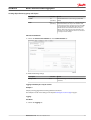
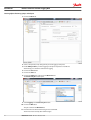
Simple and custom table are tables to show a bunch of actual data. The error and history view are useful
for event data like error flags. This kind of message can be shown with status flag value and time of
appear.
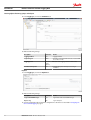
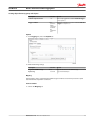
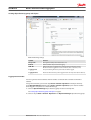
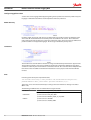
Inside a Value View the name of the value and the appearance of this entry will be defined. Additional to
the numeric value view a conditional option can show text and hints based on a numerical value. A
condition has one default section and one or more case sections. As selection for the cases the following
options are available:
• LessThan
• Equals
• GreatherThan
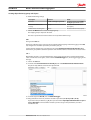
Inside a valid case section the following actions can be done:
replaceValue
setTextFormat
•
•
With the text format option several of standard options can be used:
bold
italic
underline
color
backgroundColor
•
•
•
•
•
The color definition is a 24 bit hexadecimal value with a byte for red, green and blue part.
• #RRGGBB
• #FF0000 -> color red
• #00FF00 -> color green
• #0000FF -> color blue
• #000000 -> color black
• #FFFFFF -> color white
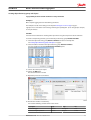
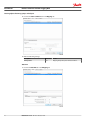
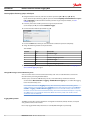
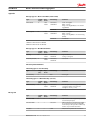
In the custom view table it is possible to create a table of values in rows and columns. A headline and a
row description are also possible. The unit is a constituent part of the value and shown direct behind the
value in the same window. If a unit is not needed a empty Unit is to define for the value definition.
30
BC00000348 en-US • Rev 0100 • October 2015