1
15.3 Adding your unit test to CMakeLists.txt
15.3 Adding your unit test to CMakeLists.txt
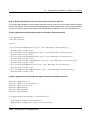
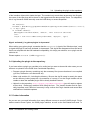
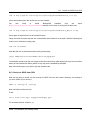
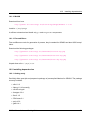
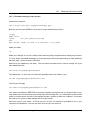
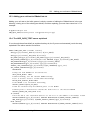
Adding your unit test to the build system is simply a matter of editing the CMakeLists.txt in the test
directory, cloning one of the existing test blocks, and then replacing your test class name into it. For
example:
# QgsRasterLayer test
ADD_QGIS_TEST(rasterlayertest testqgsrasterlayer.cpp)
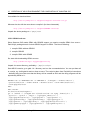
15.4 The ADD_QGIS_TEST macro explained
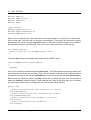
I’ll run through these lines briefly to explain what they do, but if you are not interested, just do the step
explained in the above section and section.
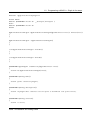
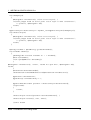
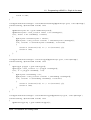
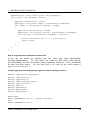
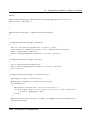
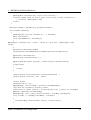
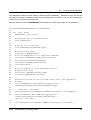
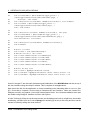
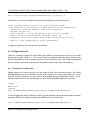
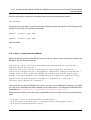
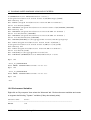
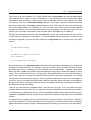
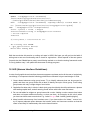
MACRO (ADD_QGIS_TEST testname testsrc)
SET(qgis_${testname}_SRCS ${testsrc} ${util_SRCS})
SET(qgis_${testname}_MOC_CPPS ${testsrc})
QT4_WRAP_CPP(qgis_${testname}_MOC_SRCS ${qgis_${testname}_MOC_CPPS})
ADD_CUSTOM_TARGET(qgis_${testname}moc ALL DEPENDS ${qgis_${testname}_MOC_SRCS})
ADD_EXECUTABLE(qgis_${testname} ${qgis_${testname}_SRCS})
ADD_DEPENDENCIES(qgis_${testname} qgis_${testname}moc)
TARGET_LINK_LIBRARIES(qgis_${testname} ${QT_LIBRARIES} qgis_core)
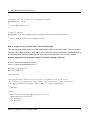
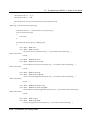
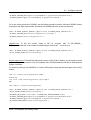
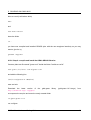
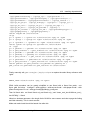
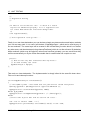
SET_TARGET_PROPERTIES(qgis_${testname}
PROPERTIES
# skip the full RPATH for the build tree
SKIP_BUILD_RPATH TRUE
# when building, use the install RPATH already
# (so it doesn’t need to relink when installing)
BUILD_WITH_INSTALL_RPATH TRUE
# the RPATH to be used when installing
INSTALL_RPATH ${QGIS_LIB_DIR}
# add the automatically determined parts of the RPATH
# which point to directories outside the build tree to the install RPATH
INSTALL_RPATH_USE_LINK_PATH true)
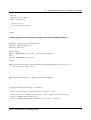
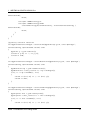
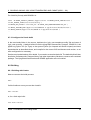
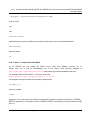
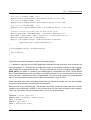
IF (APPLE)
# For Mac OS X, the executable must be at the root of the bundle’s executable folder
INSTALL(TARGETS qgis_${testname} RUNTIME DESTINATION ${CMAKE_INSTALL_PREFIX})
ADD_TEST(qgis_${testname} ${CMAKE_INSTALL_PREFIX}/qgis_${testname})
ELSE (APPLE)
INSTALL(TARGETS qgis_${testname} RUNTIME DESTINATION ${CMAKE_INSTALL_PREFIX}/bin)
QGIS 1.3 Installation and Coding Guide
115