1
PatchFactory v3
2. Basics
2.1. Concepts and definitions
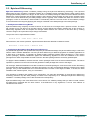
For the subsequent statement it is necessary to define some important terms which have specific meaning
in the context of PatchFactory v3.
· Product
Let's assume a Product as a certain software program or simply any set of binary files which undergo some changes
eventually. For example, we develop software product which is named PatchFactory. A set of attributes associated
with this product represents essential information: global unique identifier (GUID), name of the product, manufacturer
of this product and others.
· Product Parameters
Each product has two main parameters: Product Name and Product GUID.
Product Name must form a valid file name, thus using of such symbols as < > : " / \ | * ? is not allowed.
Product GUID is generated automatically when new product is created and it is not changed later on.
Other parameters are optional and reserved for future use.
· Version
The version is the change of the product supposed to be published and fixed at some stage.
The obligatory attribute of the version is the identifier of the version which should be unique among all version
identifiers for this product.
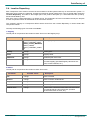
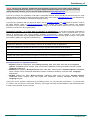
To define the number of the version the line identifier is used, for example: "1.2b" or " 3.7 (build 465) ". Restrictions
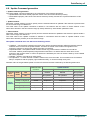
on version number format and symbols are listed in the "Version Parameters" table.
To have an opportunity to present interrelation of versions among each other, let's introduce one more important
version attribute - Parent Version or previous version which will designate the version the current version originated
from. For each version there can be only one previous version (single inheritance). In other words, each version can
have only one parent or not have it at all. At the same time, any version can be parental for any number of versions.
Such approach allows us to present the whole set of versions of a software product as a Versions Tree. If versions
have no previous one - they are so-called Root Versions or primary version. Any version can be a Root Version.
Thus, the number of primary versions is not limited. From the above it follows that the Versions Tree does not contain
a single root, so a product can be assumed as a root of the Versions Tree.
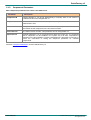
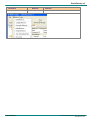
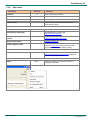
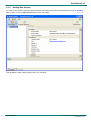
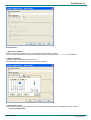
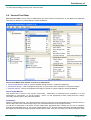
View available Version parameters...
· Component
All files included in a version are grouped into components.
Each version component may contain a set of folders and/or files. Components applying allows to easily allocate
independent groups of folders/files which can have separate location in the tree of the file system on the end-user's
machine, and probably can have an optional installation property, i.e. can be installed or not.
In general, the concept of components corresponds to the term accepted in the majority of modern install-generators.
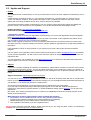
The key parameters of a component are: component identifier, unique among all components of the given version;
name of this component and flag of optional installation of this component.
To detect whether a component is installed on the end-user's machine or not, we use the key file method. The idea
of this method is that one file of each component is marked as the Key. Its presence in the system determines the
fact that a component is installed or not.
Thus we have 3 main requirements for a component and a Key file:
§ each component should have at least one file;
§ each component should have one and only one Key file;
§ Key file should exist during all "component's lifetime".
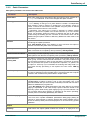
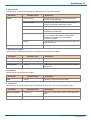
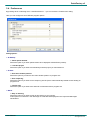
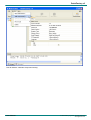
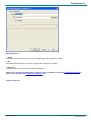
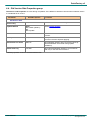
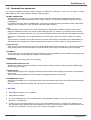
View available Component parameters...
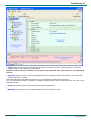
· Version Difference
Let's name a set of the information which defines the difference between two versions, as a Version Difference.
Besides difference in files, it can describe rules of update building and applying and other necessary data.
User Manual
- 11 -
© 2002-2008 by AgenSoft. All rights reserved.
www.agensoft.com