1
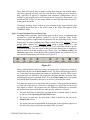
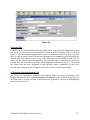
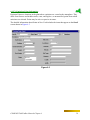
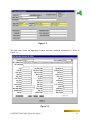
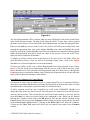
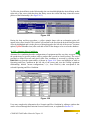
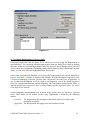
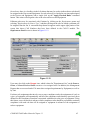
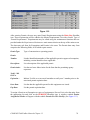
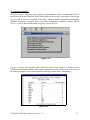
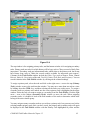
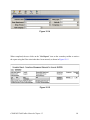
Figure 6.4
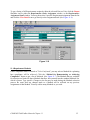
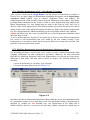
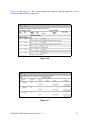
The list of Requirements will be complete when you enter a Required Value and an Actual Value
in the fields with these names. The other fields cannot be edited. To enter these values, position
the mouse on the Required Value field of the desired Requirement, and enter the appropriate data.
Either use the Tab key to move to the Actual Value field or click the mouse on that field. After
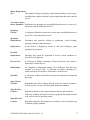
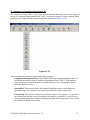
entering the appropriate data, click on the Update SheetBar icon, which will update the record.
Failure to click on the Update SheetBar icon will result in the data you entered not being updated.
While the Requirement will still be listed, the values in the Required Value and Actual Value
fields will not be updated in the database.
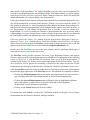
To modify previously entered values in the Required Value and Actual Value fields, follow the
same directions as above, except you will be overwriting existing values. Click on the Update
SheetBar icon, which will update the record in the database.
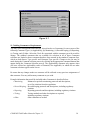
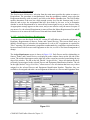
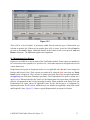
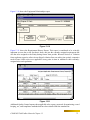
You have the ability in this window to delete Requirements from being attached to the Emission
Point. Click the mouse on the Requirement you wish to delete from the list, and click on the
Delete SheetBar icon. This will remove this Requirement from the Emission Point, although this
Requirement may be attached to another entity. Deleting the Requirement here will not affect the
status of the Requirement relating to other entities.
6.6 Adding a Comment to an Emission Point
A Comment, or memo, may be added to a new or current Emission Point. A comment would be a
description of pertinent data that does not belong in a field listed on the data entry form or certain
information that would explain a particular entry in a field that is listed.
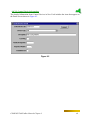
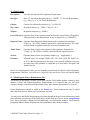
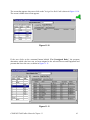
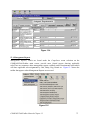
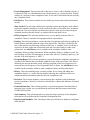
To add a comment record on a new Emission Point, click on the COMMENT SheetBar icon
during data entry on the new Point record. This will open a free form text box in which you may
enter any data necessary. This text box has the word wrap feature built in, so you only need to
press the Enter key when you wish to begin a new paragraph or line. When you are finished
COMPASS-TaskTrakker Manual–Chapter 6
27