1
6. Playback
We will introduce how to save and edit Playbacks in this chapter.
6.1.
Playbacks and Playback Pages
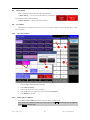
There are two kinds of playback in Master 2500: Cue and Chase. Usually, they are operated manually. A
Chase comprises of one or several steps. Cue equal to a scene, it may contain shape effects.
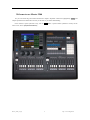
Master 2500 has 30 playback pages, each of which has 24 playback faders for programming, thus totally 720
playbacks can be saved. Each playback fader can save as a Cue or a Chase. Those 24 Playback faders can be
divided into two parts (Playback A and B) when the key Playback A/B is on. It allows users to run 24 Playbacks
at the same time in this section.
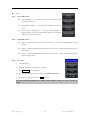
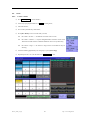
There is a Fixed part for playbacks on selection section. It has 20 pages, each of which has 20 keys for
programming, thus totally 400 playbacks can be saved. Playbacks can be output by the same key in different
pages. But maximum output 20 playbacks at the same time.
6.2.
Playback Edit Menu
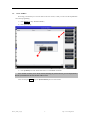
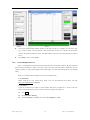
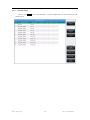
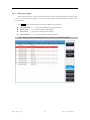
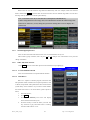
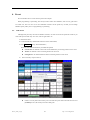
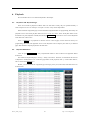
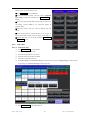
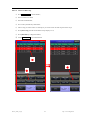
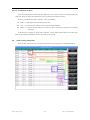
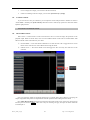
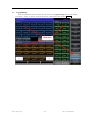
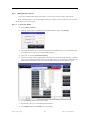
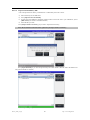
Users can press Edit Playback to entry “Playback Edit Menu” to find out those saved playbacks details
from the list.
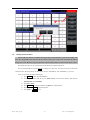
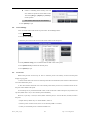
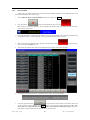
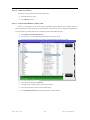
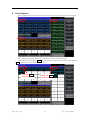
The number of Playback display in “PxA/y”, “PxB/y” and “FPx/z”. Thereinto, A and B means the sections
of Playback A and Playback B. “Px” means the page number of the playback; while “y” means which fader is;
and “z” means which Fixed key is.
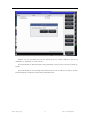
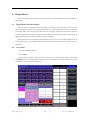
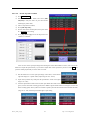
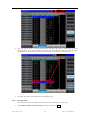
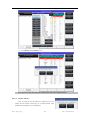
Besides, you can find functions of playback type, total steps, priority level, link mode, fader effect and so on
from the menu.
Master_2500_en.pdf
27
http://www.codelight.com