1
Online mode
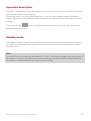
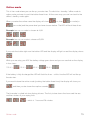
This is the mode where you can fire up your atomizer. To switch from standby / offline mode to
online mode you have to push the button three times. At the same way you can turn back to the
offline / standby mode again.
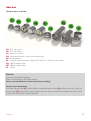
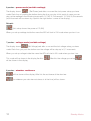
When you enter the online menu the display will show
first, than
(vv-mode) or
(vw-mode) and the power level you have chosen before. The LED will flash three times.
Example: turn on, vv-mode is chosen at 4,5V:
Example: turn on, vw-mode is chosen at 9,0W
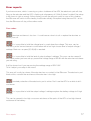
If you push the button right now the button LED and the display will light on and the display shows
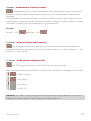
While you are using your APV the battery voltage goes down and you can see that on the display
in four steps:
100 % –
, 75 % –
, 50 % –
, 25 % –
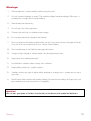
If the battery is fully discharged the LED will flash five times – at this time the APV will not fire up
the atomizer.
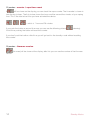
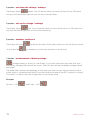
If you want to leave the online mode (pushing the button three times) the display will show you
, and then you be shown the vaptime counter
.
The timecode is spited into two display pictures. The first picture shows the hours and the second the minutes of your vaping time.
– which is 1 hour and 25 minutes
Online mode
15