1
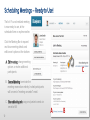
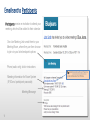
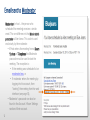
Email sent to Moderator
Moderator (or host … the person who
scheduled the meeting) receives a similar
email. The one difference is the Moderator’s
passcode will be shown. This code is used
exclusively by the moderator:
• If Host enters the meeting from a Room
System or Telephone this Moderator
passcode must be used to start the
meeting. The exception is:
• If the meeting was scheduled to be
moderator-less, or
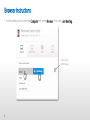
• If moderator enters the meeting by
logging into his account, then
“starting” the meeting from the web
interface (see page 14),
• Moderator’s passcode can also be
found in the Account > Room Settings
section of their account.
12