1
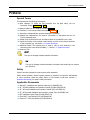
Sensorii Operation Manual Preface Special Terms This manual uses the following conventions: Menu selection: To select the Exit command from the Main Menu, you are instructed, “Select ApplicationExit“. Buttons: Buttons on the screen are marked Button. Field Entry: Text boxes and fields are marked Text Box . Instructions: Numbered lists represent sequential instructions. Bulleted lists: Bulleted lists are used for information or instructions that do not involve sequential steps. Special terms: Special terms such as window names or list selections are in bold. Hyperlinks: Section of text marked in blue function as a link to the relevant locations in the document (e.g. see Section 1.2: System Overview). Additional Details: The following term is used to refer to other locations in this document where more data is available ( Section 1.2: System Overview). Notes and Tips NOTE This type of message includes essential information. TIP This type of message includes alternative information that could help you enhance your operation. Safety Sensorii has been designed to meet common safety standards. Under normal operation, Sensorii system presents no hazards to its operator, administrator or other personnel. Read the safety section of the camera model user manual ( Applicable Documents) for specific safety information. Applicable Documents Accuracii™ installation and operation manual (P/N- UMACSEC-0A) Sii™ AT/MLX installation and operation manual (P/N-UM-SIIATMLX-0A) Sii™ XR cooled installation and operation manual (P/N- UM-SIIXR-0A) Sii™ XR Uncooled installation and operation manual (P/N- UM-SIIXRUC-0A) OFC Installation Quick Guide (P/N UM-SIIOFC-0A) Claritii 600™ User Manual (P/N- UMC600A0000A) Discoverii™ 3000 User Manual (P/N PSD3000A01) Unclassified | Commercial Confidential | Feb. 2014 | Document P/N PST900019110A | Rev J Page 3 of 150