1
TRGRAPH User Manual
Page 77
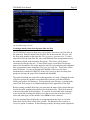
Example in network editing
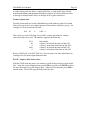
Suppose you want to study the effect of not letting trains with Auto Racks use CSXT
tracks between Newark, DE and Arden, DE. You would do this by creating a second
network with very high MLC values for service type 4 for links between these two
locations, and comparing routes on this network with those on the original.
The following steps illustrate one method of creating the new network.
1. Load TRGRAPH and original rail network (say RWYBASE.ntw)
)LOAD TRGRAPH
LOADNET ‘BASE’
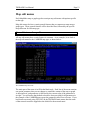
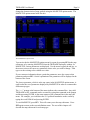
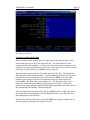
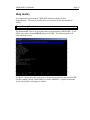
2. Change virtual window to show Delaware and draw US boundary.
STATEWINDOW ‘DE’
USMAP
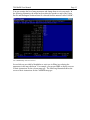
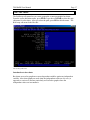
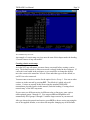
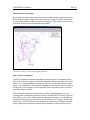
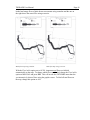
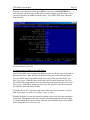
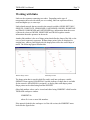
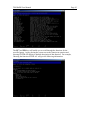
3. Label the two cities and show CSXT tracks. Zoom in to this area.
LABEL ‘NEWARK DE¨ARDEN DE’
(¨ is generated by pressing Ctrl + 1)
‘RED’ SHOWLINKS LINKSONRR ‘CSXT’
ZOOM
(manually choose the new virtual window to include both cities)
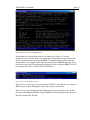
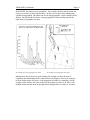
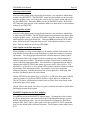
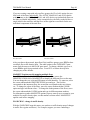
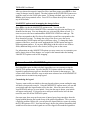
4. If you find that the labels are too small to read, you can change the font size
(default is 0.6) and redraw. You do not have to Zoom again, because the
window remains the same even if you erase the screen.
∆SCL ← 1
ERASE
‘RED’ SHOWLINKS LINKSONRR ‘CSXT’
LABEL ‘NEWARK DE¨ARDEN DE’
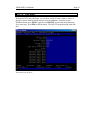
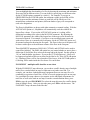
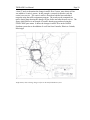
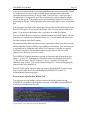
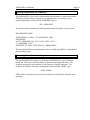
5. You might notice that Newark is on a different track than Arden. The reason
for this is that Newark, like many cities, has several nodes with the same
name. To see the correct node, you can display all the station names on CSXT
in the window.