1
40
CHAPTER 7. INSIDE THE QMP DEVELOPMENT
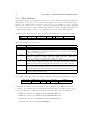
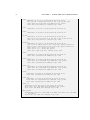
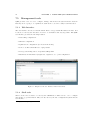
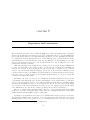
option ’ olsr6_mesh_prefix48 ’ ’ fd01 :0:0 ’
option ’ bmx6_mesh_prefix48 ’ ’ fd02 :0:0 ’
option ’ babel_mesh_prefix48 ’ ’ fd03 :0:0 ’
option ’ netserver ’ ’1 ’
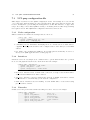
• dns: Nameservers used for the device and final clients
• lan address: IPv4 address used for final client bridge interface (see 7.3.2)
• lan netmask: IPv4 netmask used for final client bridge interface
• niit prefix96: Niit is used for 4in6 tunneling, see 7.2.4
• mesh vid offset: VLAN tag offset used for routing protocol interfaces (e. eth0.10)
• mesh protocol vids: VLAN tag suffix added for routing protocol interfaces (mesh vid offset + mesh protocol vids)
• xxxx mesh prefix48: First 48 bits used for IPv6 calculation, see IP structure chapter
• netserver: Enable/disable netserver, used for bandwidth tests.
7.3.4
Wireless
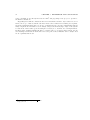
To configure WiFi devices, QMP offers an abstraction layer which intends to be more easy and
intuitive than the one offered by OpenWRT. The user only needs to fill some fields and QMP
will do the rest. Note that configuration is different for layer 3 (networking saw in section
7.3.3) and layer 2 (this one). Ad-Hoc mode is not strictly related with Mesh routing, user can
choose AP/Client as link mode (and probably WDS in the future) to run routing protocols too
if needed.
Wireless section consists in two different set of options:
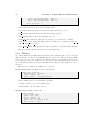
General section (affects all WiFi devices), looks like that:
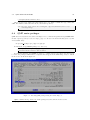
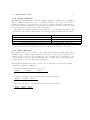
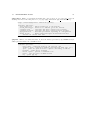
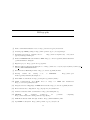
config ’qmp ’ ’ wireless ’
option ’ driver ’ ’ mac80211 ’
option ’ country ’ ’ES ’
option ’ bssid ’
’02: CA : FF : EE : BA : BE ’
• driver: Which driver to use: mac80211 or madwifi
• country: Country code to use for WiFi devices
• bssid: BSSID to use for Ad-Hoc devices
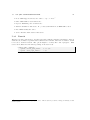
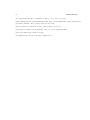
Specific device section looks like that:
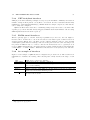
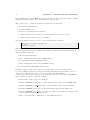
config ’ wireless ’
option ’ mode ’ ’ adhoc ’
option ’ name ’ ’ qMp ’
option ’ txpower ’ ’20 ’
option ’ channel ’ ’48+ ’
option ’mac ’ ’00: AA : BB : CC : DD : EE ’
option ’ device ’ ’ wlan0 ’