1
GAMEVENT
NetWare
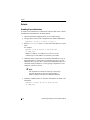
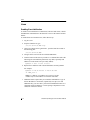
Enabling Event Notification
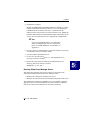
To enable event notification to GAM clients, both local and remote, edit the
LOAD GAMEVENT command line in the AUTOEXEC.NCF file.
1. Open the AUTOEXEC.NCF configuration file in a text editor.
2. Navigate to the command line of the configuration file called #LOAD
GAMEVENT.
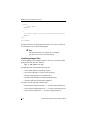
#LOAD GAMEVENT -h <enter client ip address>
3. Replace <enter client ip address> with a desired system name or
IP address.
For example:
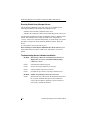
#LOAD GAMEVENT -h 10.97.49.189 -h fabd_test
where: -h <address> sets address as a receiver of events.
Address may be an IP address or a network system name.
Some systems may already be identified in the LOAD GAMEVENT
command line, either because they were previously identified in your
existing AUTOEXEC.NCF file, or because they were automatically
registered when you entered IP addresses or system names during
GAM Server installation.
4. Additional entries require that you extend the command line. Type -h,
then an IP address or system name, separated by one space, for each
additional entry you need. Additional entries will be read by the system
as a continuous string of addresses. Correct spacing is important to
avoid confusion of the server names.
☛ Note
The argument list is limited to 1028 bytes, allowing a
practical maximum of about 50 event notification
addresses and provides space for additional addresses.
5. Delete the comment marker "#" from the command line to enable event
notification:
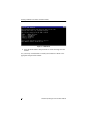
LOAD GAMEVENT -h 10.97.49.189 -h fabd_test
Manual No. SA67-0048-01
B-3
G
A
M
E
V
T