1
!
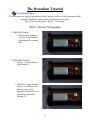
Student Scenario
Play Student Scenario Video
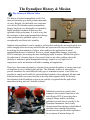
This scenario was constructed to demonstrate the abilities of the Dynadjust Instrument
and the Service Center. As you will see, these concepts can be extrapolated for any level
of training for even the highest levels of skill development. Remember, as the student
performs the assigned exercises, the instrument reports the metrics of each thrust. The
student can use this real-time feedback to help them refine their technique as they work.
The assigned sets are then up-loaded to the Service Center and the professor can evaluate
the student on every aspect of their performance at a glance. He can then prescribe
regimens that are specific to remedying whatever difficulties the particular student
encounters with their training. This system provides a permanent private record of
achievement for the student, with which to compare future accomplishments and to be
used to determine when the student is ready to move forward and progress through the
program.
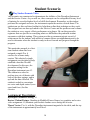
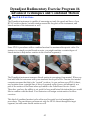
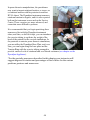
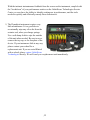
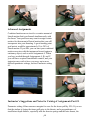
This particular example is a firstterm student whom has been
assigned a simple P to A
exercise for a home-study
session. This relatively simple
assignment was designed to help
establish a baseline for skill
development. In this case, the
parameter setting for the
Dynadjust instrument was #3.
The student was asked to
perform two sets of thrusts with
each of the three springs, and to
up-load the data collected. The
student is asked to concentrate
on vector and depth control (over
speed and force) for this
exercise.
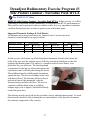
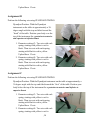
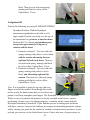
Assignment Description:
Dynadjust Parameter Setting: #3
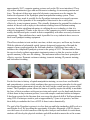
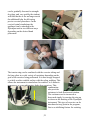
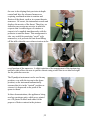
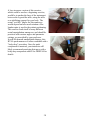
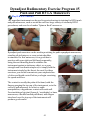
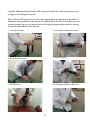
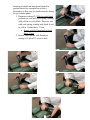
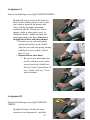
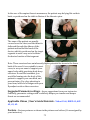
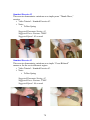
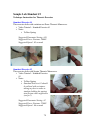
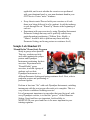
Doctor / Patient Posture: Standing in Modified Fencer Stance (see graphics and review
video assignment #1) Maintain your lordotic lumbar curve during the exercise.
Thrust Vector: P to A, with the Dynadjust instrument tangential to the table, and the top
of the instrument at approximately naval level.
16
16