1
With HP-GL/2, printing is misaligned
iPF850 Series
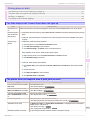
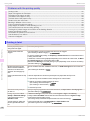
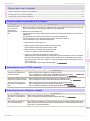
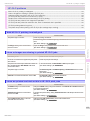
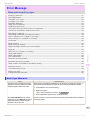
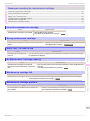
HP-GL/2 problems
With HP-GL/2, printing is misaligned ............................................................................................................. 135
Lines or images are missing in printed HP-GL/2 jobs. ................................................................................... 135
Lines are printed too thick or thin in HP-GL/2 print jobs ................................................................................ 135
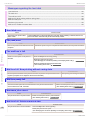
HP-GL/2 jobs are printed in monochrome (or color) ...................................................................................... 136
Printed colors of lines are inaccurate during HP-GL/2 printing ....................................................................... 136
HP-GL/2 jobs are printed 6 mm larger than specified .................................................................................... 136
HP-GL/2 jobs are printed at maximum size, even if a standard size is specified ............................................. 136
HP-GL/2 printing takes a long time ............................................................................................................... 136
The printer stops when printing a HP-GL/2 job (the carriage stops moving) ................................................... 136
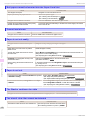
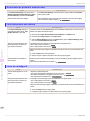
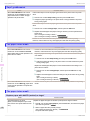
With HP-GL/2, printing is misaligned
Cause
The plotter origin is incorrect.
Corrective Action
Check the printing commands.
Set Detect img size to Command priority or Detected size in the Control Panel
menu.
(See "Menu Settings.") ➔ User's Guide
The Margin setting in the Control Panel
menu is incorrect.
Adjust the Margin setting values in the Control Panel menu.
(See "Menu Settings.") ➔ User's Guide
Cause
Corrective Action
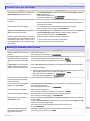
Check the size of the data in the print job.
An HP-GL/2 command not supported by this printer
was received.
Check the print job and settings.
The printer has received print data that includes HP
RTL commands when Auto Rotate is On in the
Control Panel menu.
In the Control Panel, set Auto Rotate to Off and print again.
(See "Menu Settings.") ➔ User's Guide
The plotter origin is incorrect.
Set Detect img size to Command priority or Detected size in the Control
Panel menu.
(See "Menu Settings.") ➔ User's Guide
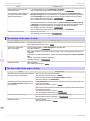
Oversize in the Control Panel menu is set to Off.
Set Oversize to On in the Control Panel menu.
(See "Menu Settings.") ➔ User's Guide
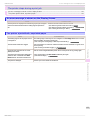
HP-GL/2 problems
The memory is full.
Troubleshooting
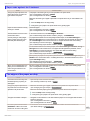
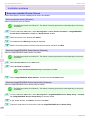
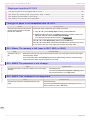
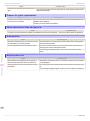
Lines or images are missing in printed HP-GL/2 jobs.
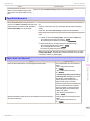
Lines are printed too thick or thin in HP-GL/2 print jobs
Cause
Corrective Action
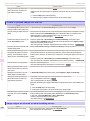
The Width setting in the Control Panel
menu is incorrect.
Change the Width setting configured in Pen no. of the Palette A or Palette B selected
in the Control Panel menu.
(See "Menu Settings.") ➔ User's Guide
ThickenFineLines in the Control Panel
menu is set to Off.
If fine lines are printed faintly, setting ThickenFineLines to On will print the lines more
distinctly.
(See "Menu Settings.") ➔ User's Guide
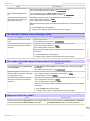
The Ln wdth correct setting in the Control Panel menu is incorrect.
Change the Ln wdth correct setting in the Control Panel menu.
(See "Menu Settings.") ➔ User's Guide
135
Basic Guide