1
Deleting Risks
To delete a risk, do the following:
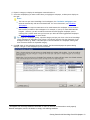
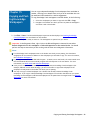
1. Click Risk Summary the Risk Assessment group on the Knowledge Coach ribbon to display the Risks
Pane.
2. Select the risk you want to delete.
3. Click Delete Risk.
4. Locate the risk in KBA-502 Summary of Risk Assessments and place your cursor on that row.
5. Click Delete from the Risk Assessment group on the Knowledge Coach ribbon.
6. Click Yes to confirm the deletion.
Note: You cannot delete the "Management Override" Financial-Statement-Level risk, as this risk always
applies.
Risk Summary • 37