1
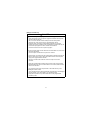
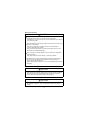
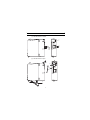
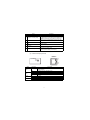
Name
Indicator LED
1)
2)
10BASE-T/100BASE-TX
interface connector (RJ45)
3)
EJECT button
6)
CompactFlash card
slot
CompactFlash card
slot cover
Battery
7)
Battery connector pin
4)
5)
Description
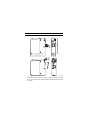
Refer to (3) Indicator LED display contents.
Used for connecting the MES interface module in
10BASE-T/100BASE-TX connection.
(The MES interface module distinguishes 10BASE-T from
100BASE-TX depending on the device on other end.)
Used for ejecting a CompactFlash card from the MES
interface module.
Used for installing a CompactFlash card to the MES
interface module.
Cover for the CompactFlash card slot
Battery for file protection
Connector pin for battery lead
(The battery lead is disconnected from the connector at
shipment to prevent battery consumption.)
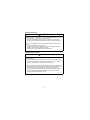
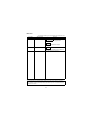
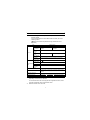
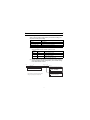
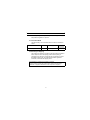
(3) Indicator LED display contents
10BASE-T/
100BASE-TX
QJ71MES96
100
M
RUN
ERR.
SD/
RD
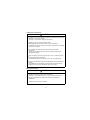
Name
RUN
ERR.
100 M
SD/RD
LED status
ON
OFF
OFF
ON
Flash
ON
OFF
ON
OFF
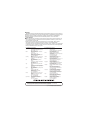
Description
In normal operation
(It may take some time until the RUN LED is turned ON after the
module is started.)
Watchdog timer error (Hardware error)
In normal status
Module continuation error
Module stop error
100 Mbps
10 Mbps
During data send or data receive
Data not transmitted
5