1
106
Debugging with GDB
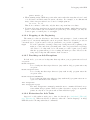
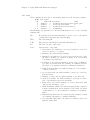
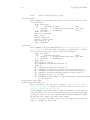
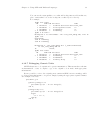
C-h m
Describe the features of Emacs’ GDB Mode.
M-s
Execute to another source line, like the GDB step command; also update the
display window to show the current file and location.
M-n
Execute to next source line in this function, skipping all function calls, like the
GDB next command. Then update the display window to show the current file
and location.
M-i
Execute one instruction, like the GDB stepi command; update display window
accordingly.
M-x gdb-nexti
Execute to next instruction, using the GDB nexti command; update display
window accordingly.
C-c C-f
Execute until exit from the selected stack frame, like the GDB finish command.
M-c
Continue execution of your program, like the GDB continue command.
Warning: In Emacs v19, this command is C-c C-p.
M-u
Go up the number of frames indicated by the numeric argument (see section
“Numeric Arguments” in The gnu Emacs Manual), like the GDB up command.
Warning: In Emacs v19, this command is C-c C-u.
M-d
Go down the number of frames indicated by the numeric argument, like the
GDB down command.
Warning: In Emacs v19, this command is C-c C-d.
C-x &
Read the number where the cursor is positioned, and insert it at the end of
the GDB I/O buffer. For example, if you wish to disassemble code around an
address that was displayed earlier, type disassemble; then move the cursor to
the address display, and pick up the argument for disassemble by typing C-x
&.
You can customize this further by defining elements of the list gdb-printcommand; once it is defined, you can format or otherwise process numbers picked
up by C-x & before they are inserted. A numeric argument to C-x & indicates
that you wish special formatting, and also acts as an index to pick an element
of the list. If the list element is a string, the number to be inserted is formatted using the Emacs function format; otherwise the number is passed as an
argument to the corresponding list element.
In any source file, the Emacs command C-x SPC (gdb-break) tells GDB to set a breakpoint on the source line point is on.
If you accidentally delete the source-display buffer, an easy way to get it back is to type
the command f in the GDB buffer, to request a frame display; when you run under Emacs,
this recreates the source buffer if necessary to show you the context of the current frame.
The source files displayed in Emacs are in ordinary Emacs buffers which are visiting the
source files in the usual way. You can edit the files with these buffers if you wish; but keep