1
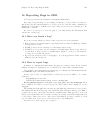
Appendix D: Installing GDB
125
Appendix D Installing GDB
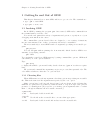
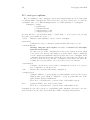
GDB comes with a configure script that automates the process of preparing GDB for
installation; you can then use make to build the gdb program.1
The GDB distribution includes all the source code you need for GDB in a single directory,
whose name is usually composed by appending the version number to ‘gdb’.
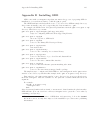
For example, the GDB version 4.17.gnat.3.11p distribution is in the ‘gdb- 4.17.gnat.3.11p’
directory. That directory contains:
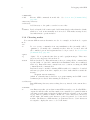
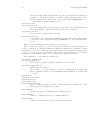
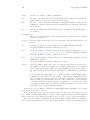
gdb- 4.17.gnat.3.11p/configure (and supporting files)
script for configuring GDB and all its supporting libraries
gdb- 4.17.gnat.3.11p/gdb
the source specific to GDB itself
gdb- 4.17.gnat.3.11p/bfd
source for the Binary File Descriptor library
gdb- 4.17.gnat.3.11p/include
gnu include files
gdb- 4.17.gnat.3.11p/libiberty
source for the ‘-liberty’ free software library
gdb- 4.17.gnat.3.11p/opcodes
source for the library of opcode tables and disassemblers
gdb- 4.17.gnat.3.11p/readline
source for the gnu command-line interface
gdb- 4.17.gnat.3.11p/glob
source for the gnu filename pattern-matching subroutine
gdb- 4.17.gnat.3.11p/mmalloc
source for the gnu memory-mapped malloc package
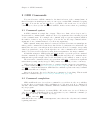
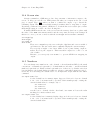
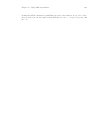
The simplest way to configure and build GDB is to run configure from the ‘gdb-versionnumber’ source directory, which in this example is the ‘gdb- 4.17.gnat.3.11p’ directory.
First switch to the ‘gdb-version-number’ source directory if you are not already in it;
then run configure. Pass the identifier for the platform on which GDB will run as an
argument.
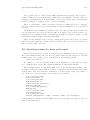
For example:
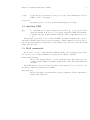
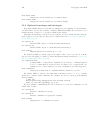
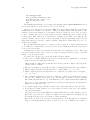
cd gdb- 4.17.gnat.3.11p
./configure host
make
where host is an identifier such as ‘sun4’ or ‘decstation’, that identifies the platform where
GDB will run. (You can often leave off host; configure tries to guess the correct value by
examining your system.)
1
If you have a more recent version of GDB than 4.17.gnat.3.11p, look at the ‘README’
file in the sources; we may have improved the installation procedures since publishing
this manual.