1
30
Debugging with GDB
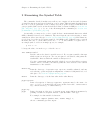
4.3 Signals
A signal is an asynchronous event that can happen in a program. The operating system
defines the possible kinds of signals, and gives each kind a name and a number. For example,
in Unix SIGINT is the signal a program gets when you type an interrupt (often C-c); SIGSEGV
is the signal a program gets from referencing a place in memory far away from all the areas
in use; SIGALRM occurs when the alarm clock timer goes off (which happens only if your
program has requested an alarm).
Some signals, including SIGALRM, are a normal part of the functioning of your program.
Others, such as SIGSEGV, indicate errors; these signals are fatal (kill your program immediately) if the program has not specified in advance some other way to handle the signal.
SIGINT does not indicate an error in your program, but it is normally fatal so it can carry
out the purpose of the interrupt: to kill the program.
GDB has the ability to detect any occurrence of a signal in your program. You can tell
GDB in advance what to do for each kind of signal.
Normally, GDB is set up to ignore non-erroneous signals like SIGALRM (so as not to
interfere with their role in the functioning of your program) but to stop your program
immediately whenever an error signal happens. You can change these settings with the
handle command.
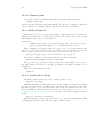
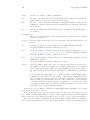
info signals
Print a table of all the kinds of signals and how GDB has been told to handle
each one. You can use this to see the signal numbers of all the defined types of
signals.
info handle is the new alias for info signals.
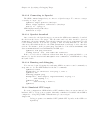
handle signal keywords. . .
Change the way GDB handles signal signal. signal can be the number of a
signal or its name (with or without the ‘SIG’ at the beginning). The keywords
say what change to make.
The keywords allowed by the handle command can be abbreviated. Their full names
are:
nostop
GDB should not stop your program when this signal happens. It may still print
a message telling you that the signal has come in.
stop
GDB should stop your program when this signal happens. This implies the
print keyword as well.
print
GDB should print a message when this signal happens.
noprint
GDB should not mention the occurrence of the signal at all. This implies the
nostop keyword as well.
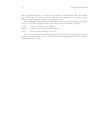
pass
GDB should allow your program to see this signal; your program can handle
the signal, or else it may terminate if the signal is fatal and not handled.
nopass
GDB should not allow your program to see this signal.